New Algo 8450 IP Console Capabilities Introduced
The latest Firmware 5.7 release adds several capabilities to the Algo IP Console.
Estimated reading time: 5 minutes
Overview
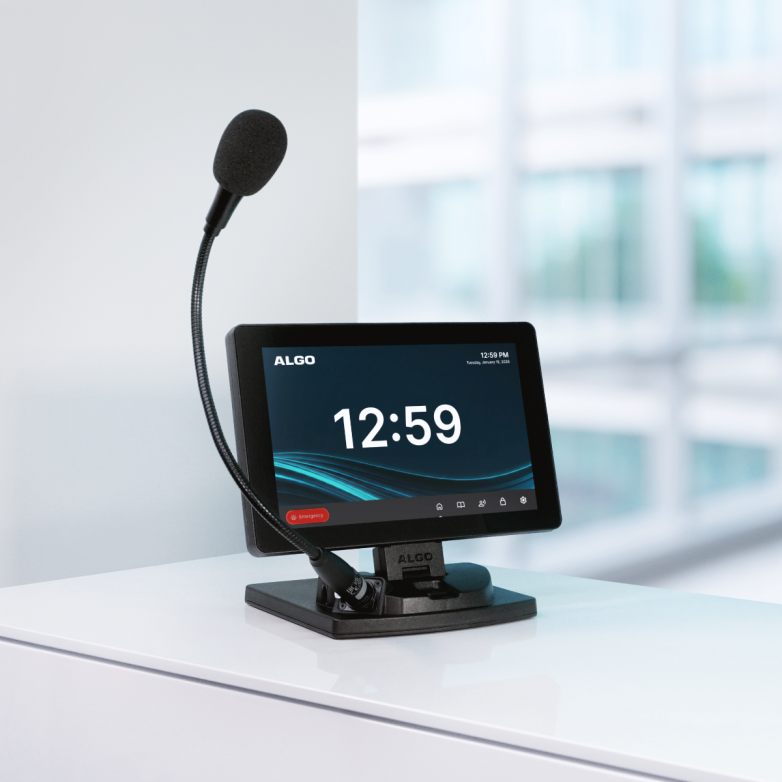
The 8450 IP Console is designed to simplify day-to-day broadcasts and improve emergency control. It optimizes communication and control for facilities that require flexible and reliable paging and emergency alerting. With a customizable 10.1″ touchscreen interface, this input device allows users to easily broadcast live or pre-recorded messages and initiate emergency alerts.
The latest Firmware 5.7 release adds several capabilities to the console including:
- Control scheduled events configured on an Algo 8301
- Display a live video feed from an Algo 8039 Video Intercom
- Send DTMF tones during active SIP calls, including configured door-release commands
- Display static images and animated GIFs
- Display local weather information
- Display Singlewire InformaCast text notifications and support additional DialCast functions
Scheduler Control
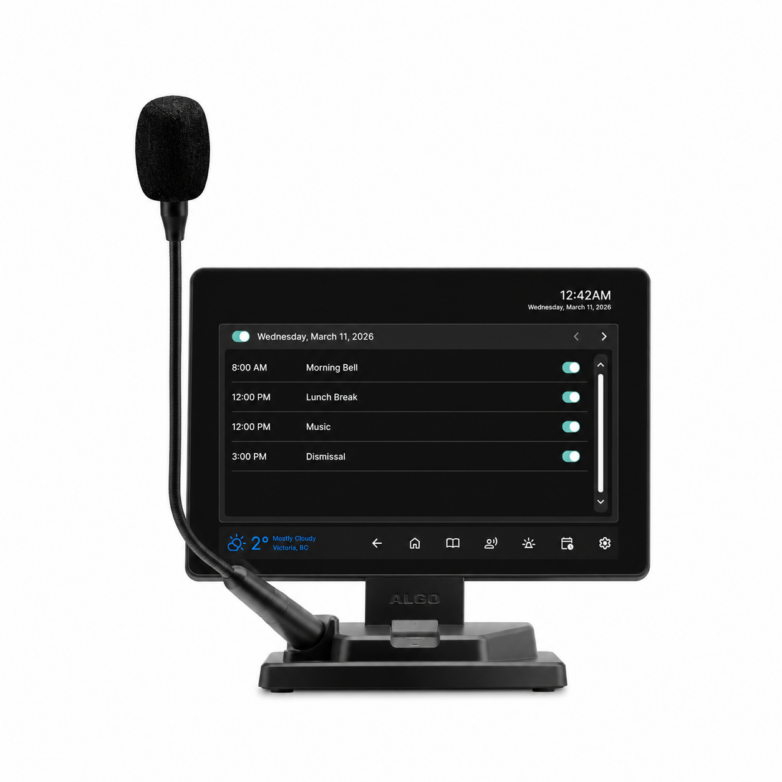
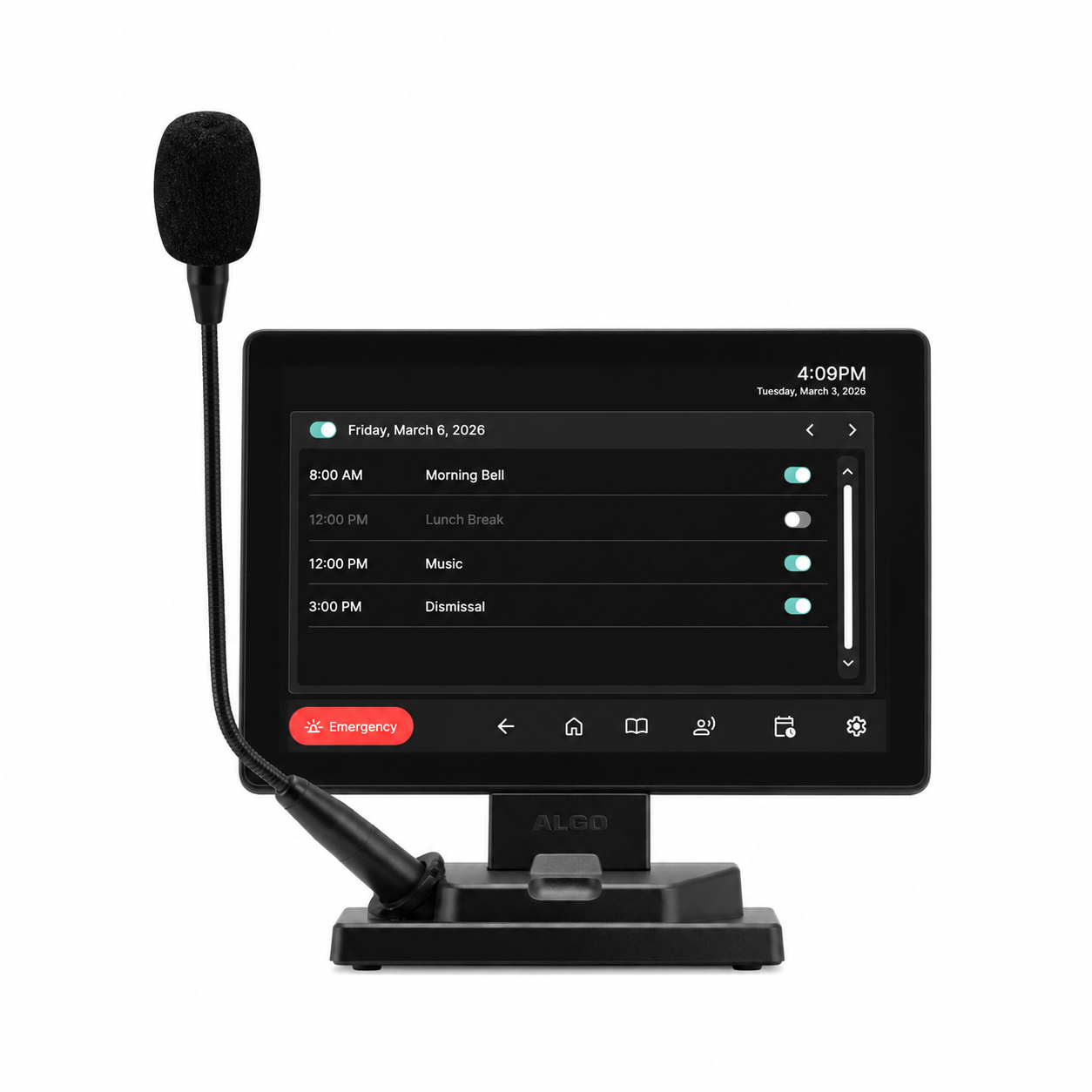
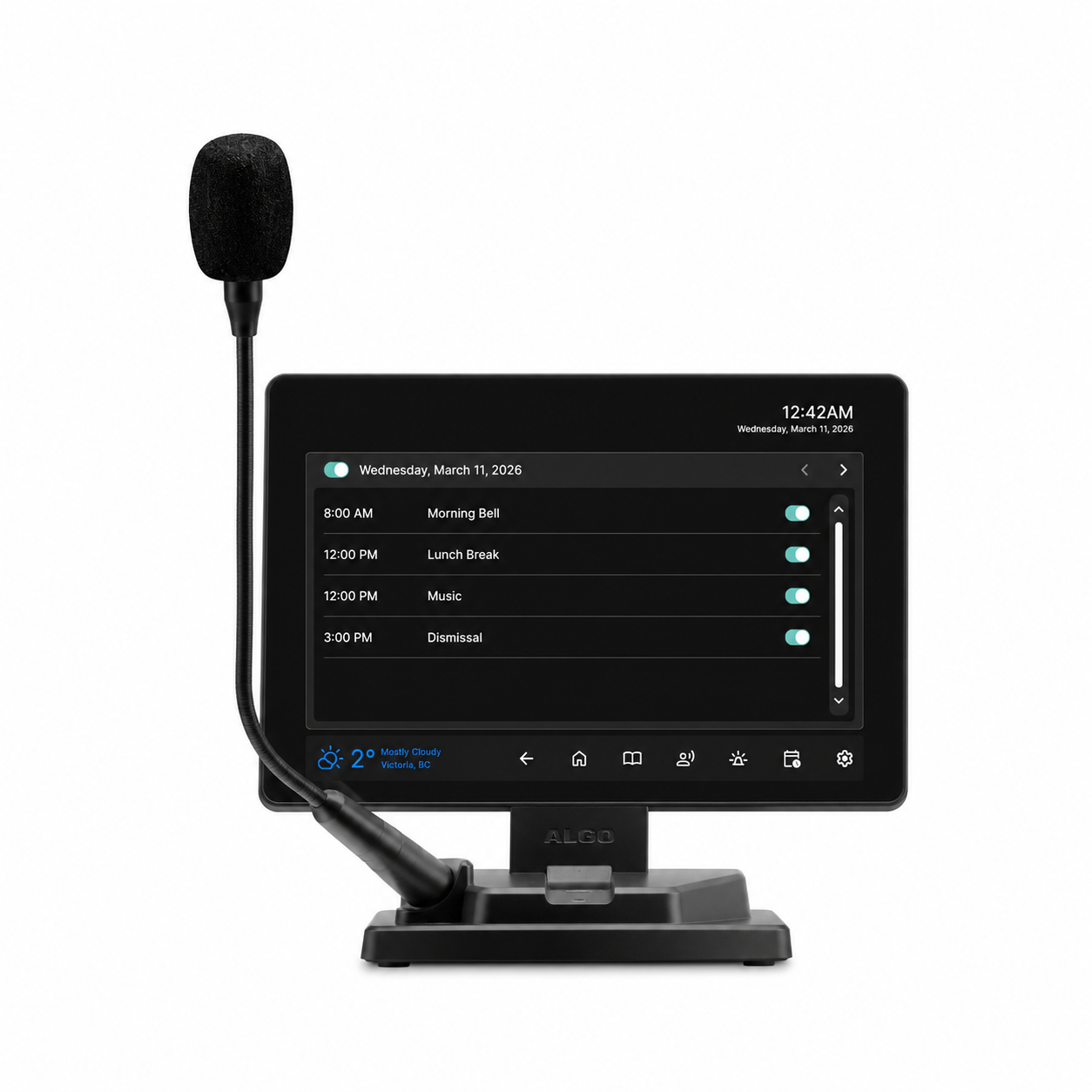
When used with an Algo 8301, the 8450 IP Console allows users to view schedules and enable or disable scheduled events up to one week in advance, directly from the screen.
Users can turn scheduled events on or off from the 8450 without logging into the 8301 web user interface. This is especially useful in environments where schedules may need to change quickly due to holidays, closures, or special events.
Note: This functionality is intended for operational control, not schedule administration. Users cannot create, edit, or delete schedules from the 8450. The 8301 remains the primary scheduling tool.
For more information, see documentation on Scheduler Screen.
Show Algo Intercom View
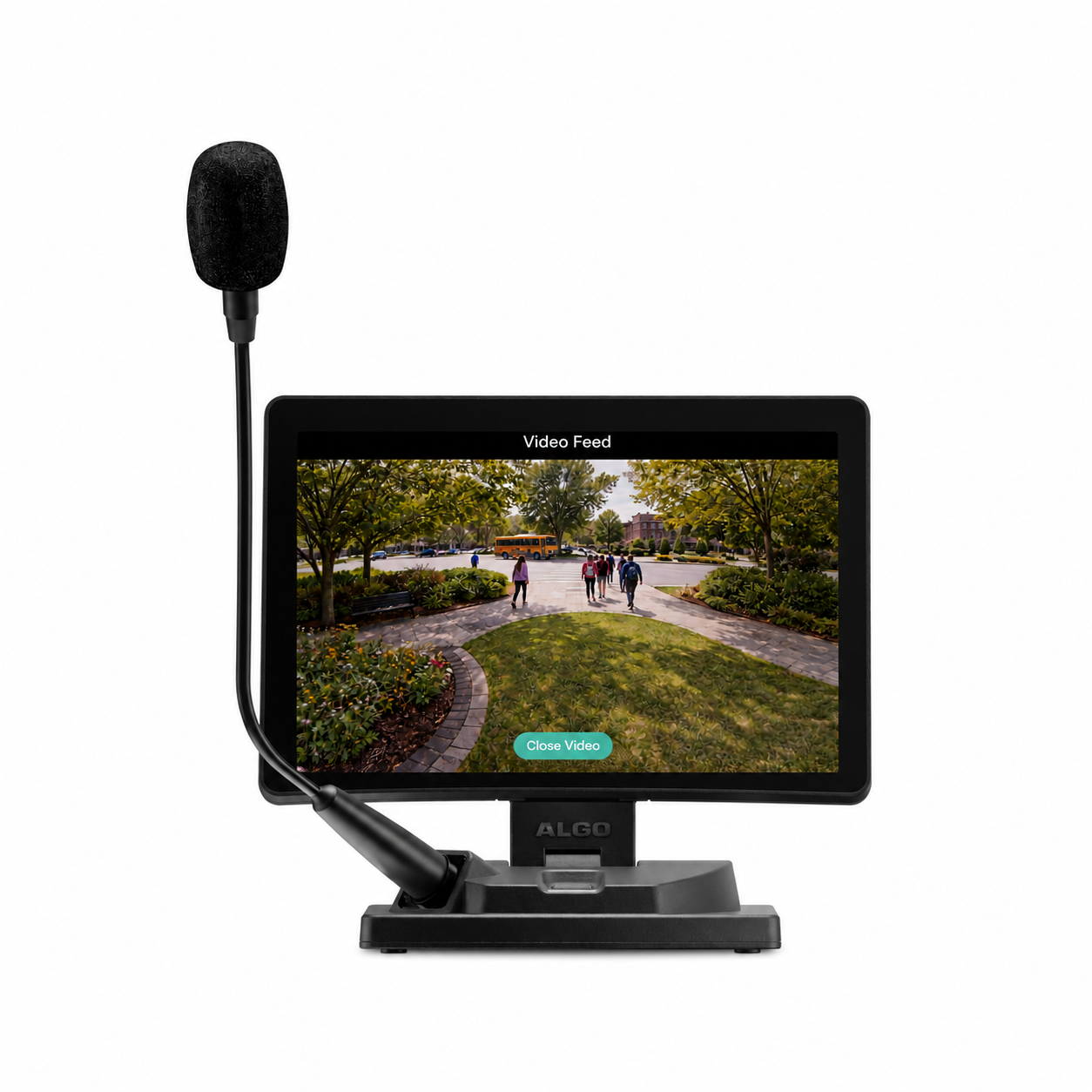
The 8450 IP Console supports several configurable button actions. Firmware 5.7 introduces a new button action that shows the live video view from an Algo 8039 Video Intercom.
When a user presses the configured button on the 8450, the view from the 8039 appears directly on the console. Users do not need to access the 8039 web user interface separately.
Reception staff, office administrators, or security personnel can view visitors in real time from the 8450, which simplifies verification and supports secure door entry.
For more information, see documentation on Intercom Video Feed.
Door Access During SIP Calls
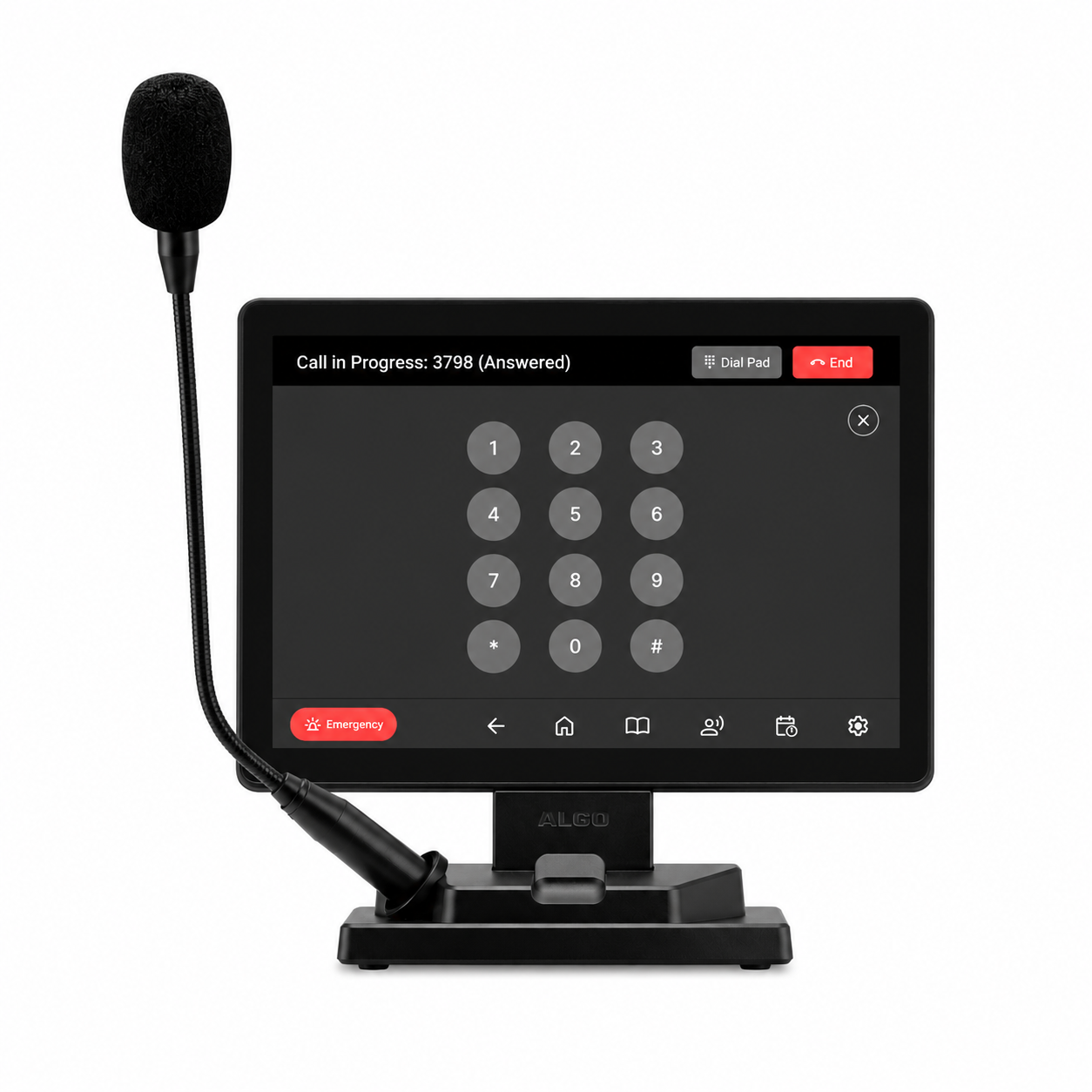
Firmware 5.7 also introduces the ability to open a door via dialpad during an active SIP call.
When an 8039 places an intercom call to the 8450, the user can answer the call, open the dialpad directly on the touchscreen, and enter a configured DTMF tone such as a door unlock command configured on the 8039.
This functionality is not limited to door access workflows. During any supported SIP call, the dialpad can be used to send DTMF tones that initiate configured actions within the connected system.
By keeping call handling and DTMF entry on the same interface, the 8450 reduces the need to switch to a separate phone or secondary control device.
For more information, see documentation on Using In-Call Dialpad for DTMF Tones.
Show Image
Show Image is a new button action available on the 8450.
A configured button can display an image directly on the touchscreen. This can be used for reference graphics, maps, instructions, notices, or other visual information staff may need quick access to during daily operation.
For more information, see documentation on Show Image on 8450.
Animated GIF
Customizable animated GIFs can also now be displayed on the IP Console lock screen or within the Show Image button action.
This provides an additional option for visual notifications, branded display content, or motion-based visual cues on the touchscreen.
For more information, see documentation on Animated Gif Support to 8450, 8420, and 8410.
Weather Display
The Weather Display feature allows the 8450 to display real-time weather information directly on the screen.
Weather data is sourced from official government providers: Environment and Climate Change Canada for Canadian locations and NOAA for U.S. locations.
For facilities where weather conditions affect transportation, deliveries, outdoor activity, or staffing, Weather Display provides quick visibility to local conditions from the 8450.
For more information, see documentation on Displaying Weather Information on 8450.
InformaCast Support
The Algo 8450 IP Console can now display Singlewire InformaCast text notifications directly on its touchscreen. Operators can view message details and response instructions from the same interface they use to manage paging and alerts. The firmware release also expands DialCast support on the 8450.
For more information, see documentation on 8450- InformaCast IP Speaker Support and Singlewire InformaCast DialCast Setup Guide.
Extending the Role of the 8450
These additional capabilities introduced in Firmware 5.7 allow more operational tasks to be handled directly from the 8450 IP Console, providing users with greater control and flexibility from a single touchscreen interface.
View 5.7 release notes and documentation →
Key Takeaways
- The 8450 IP Console simplifies broadcasts and improves emergency control with a customizable 10.1″ touchscreen.
- Firmware 5.7 adds features like scheduled event control, live video display from intercom, and weather information.
- Users can send DTMF tones during calls for door access and other system commands directly from the touchscreen.
- The console supports displaying images, animated GIFs, and InformaCast notifications for effective communication.
- Overall, the updates enhance operational tasks and user control from a single interface.