
Description
The Algo Device Management Platform or ADMP (25-License Pack) is a cloud-based device management solution to manage, monitor, and configure Algo IP endpoints from any location. Whether overseeing a large enterprise deployment or managing devices across multiple customer sites, ADMP provides real-time status updates, bulk provisioning, remote configuration, and firmware management, all from a single dashboard. Devices can be easily grouped via a tagging functionality, allowing devices to be coded by district, department, and/or function to easily oversee many devices. Devices can be supervised for connectivity, and issue email-based notifications should devices go offline, allowing for a real-time overview of device status.

Device management activities include:
• Push configuration: either full config files or dedicated settings (i.e. volume control)
• Troubleshoot devices: reboot and activate test tones
• Upgrade to latest device firmware: search for and update the firmware with one click.
Start your free trial
Monitoring Devices
The ADMP allows users to monitor all Algo devices for general status, connectivity, and health. Should an Algo device become disconnected for any reason, an email-based notification system will automatically send an alert to the registered user.
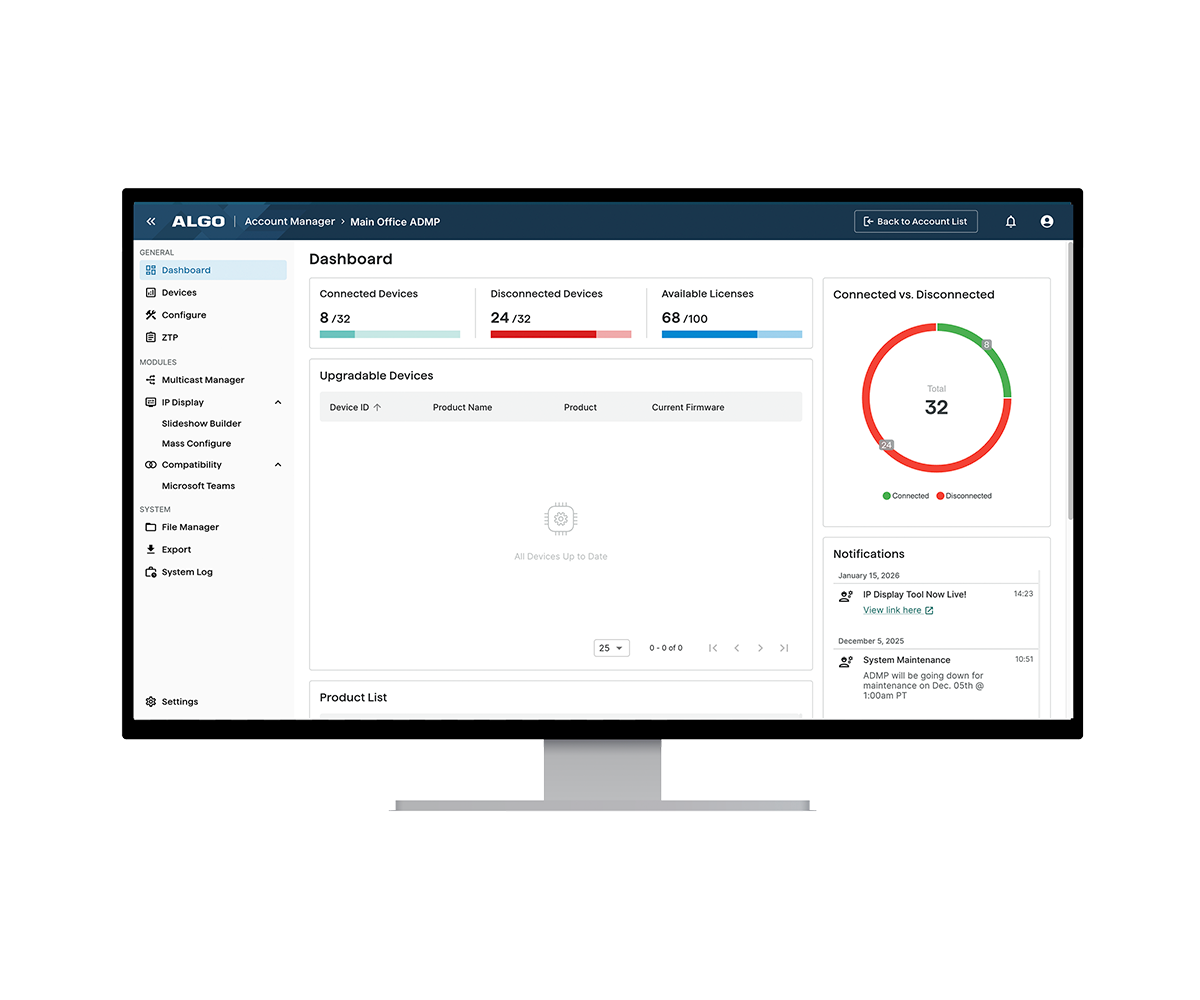
To simplify monitoring, a single-pane dashboard is available, providing users with key data about their Algo endpoints, including the following:
- the number of devices connected,
- the number of devices monitored,
- the different products being monitored,
- and any firmware upgrades available.
Users can also upload devices to the ADMP and place them in an unmonitored state. This is often done for devices that are not actively deployed, such as lab units or spare units, and thus the status is not relevant to the user.
Managing Devices
Multiple activities can be performed on Algo IP endpoints registered to the ADMP to help manage each device for device organization, device configuration/firmware, and device troubleshooting.
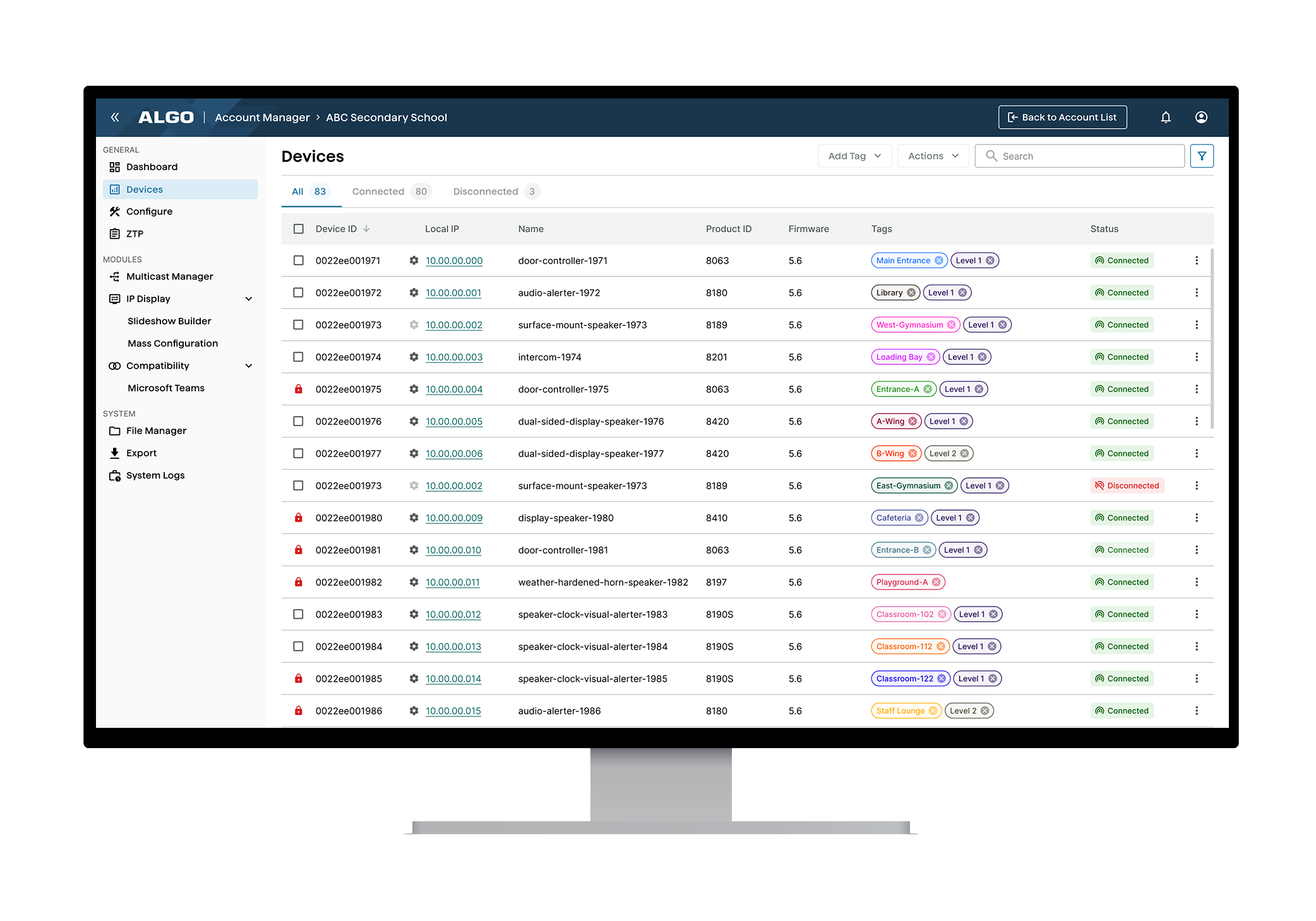
There are a few ways to sort devices, such as organizing devices in ascending or descending order, using the search functionality to find devices based on device name, product name, or product type, and using tags to group devices by color, location, or client.
Users are also able to easily push a configuration file for a single device or a selected group of devices. The updated Push Config workflow includes an Upload option for faster configuration file selection and deployment. A single action can also be performed, such as changing the volume of a speaker. Users also have the choice to upgrade firmware or select a specified firmware version.
IP Display Management
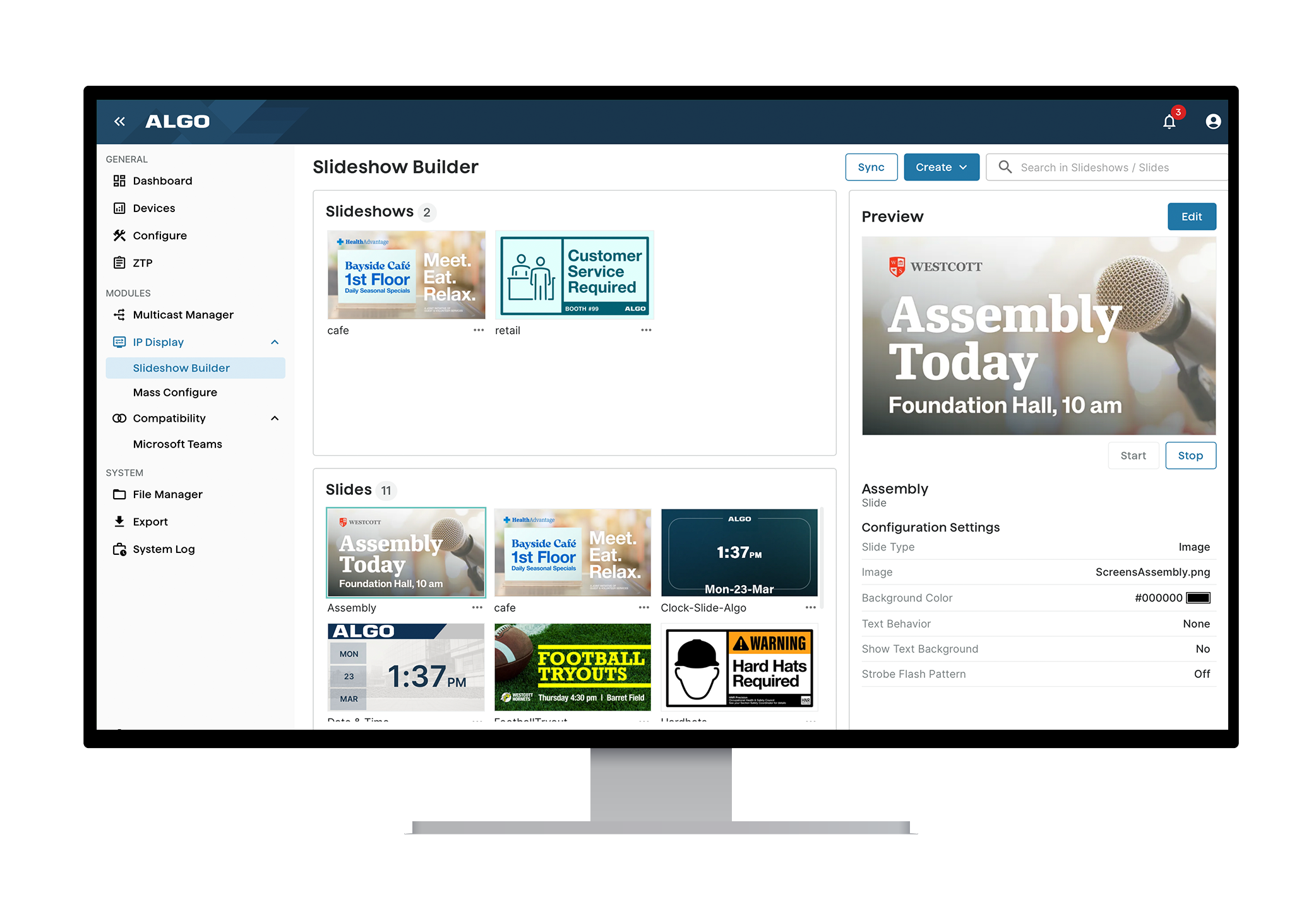
ADMP includes dedicated tools for managing Algo 8410 and 8420 IP Display devices, allowing users to create, configure, and deploy visual content across all supported displays from a single platform.
The Slideshow Builder allows users to build and preview individual slides, including image, clock, and template slides, and combine them into slideshows. Users can import existing slides and slideshows directly from 8410 and 8420 devices for centralized editing, identify displays that are out of sync, and push updated content directly to devices.
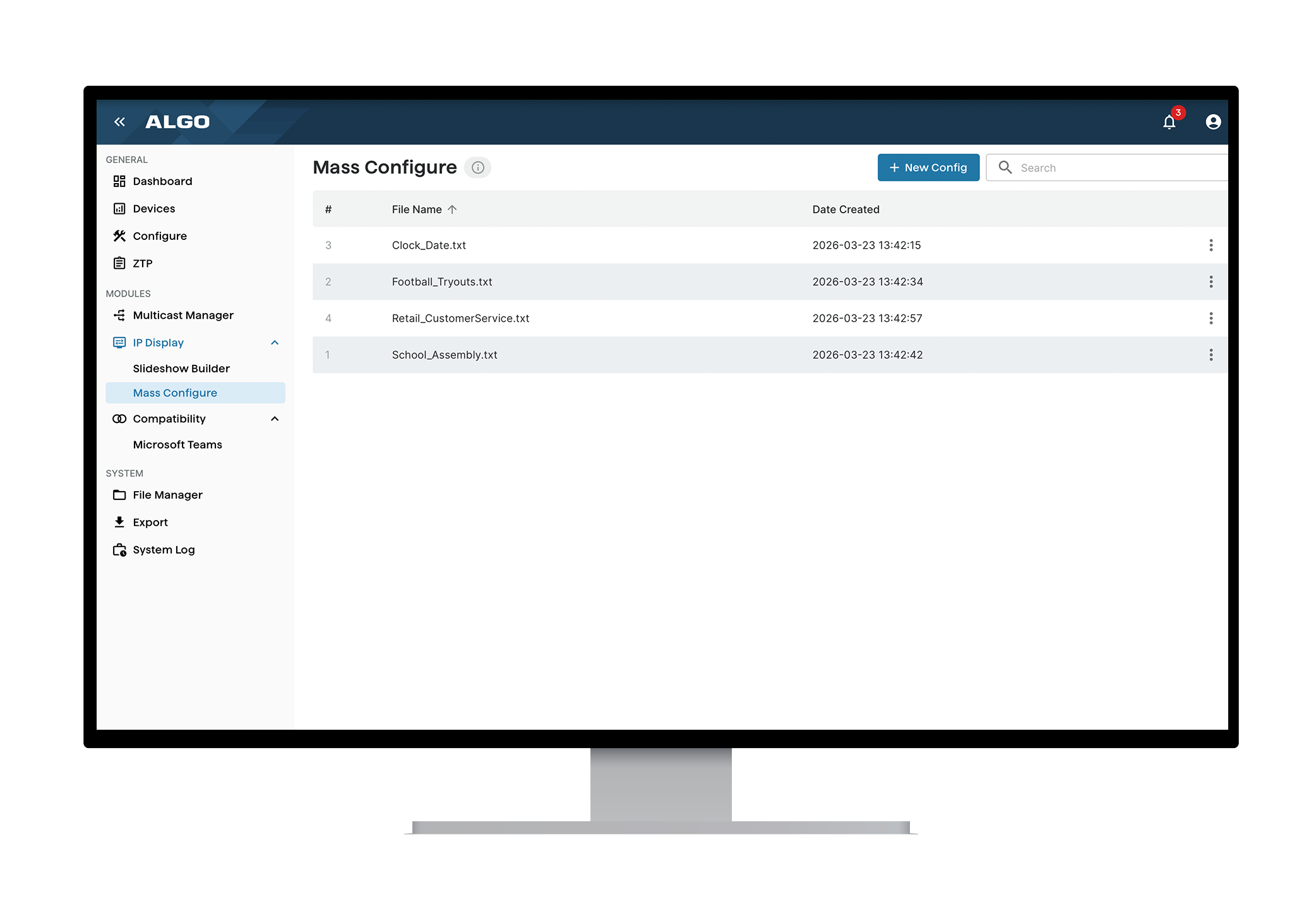
Mass Config enables the centralized creation and editing of configuration file values that control how slides and slideshows are displayed. Users can assign slides and slideshows to zones, extensions, alerts, inputs, or idle states, and push display-related configuration files to multiple devices simultaneously, updating display behavior at scale while leaving other device settings unchanged.
Configuring Devices
Configuring Algo devices require that the ADMP be running firmware version 5.2 or higher. A user will also need to add the ADMP Account ID to the web interface of each Algo device.
With the exception of the 8180G, 8128G1, and 8028G1 units, the vast majority of Algo IP endpoints are compatible with the ADMP.
All InformaCast variants of the above Algo products are also compatible with the ADMP.
Overseeing Algo Devices
The Algo Device Management Platform simplifies the process of managing, monitoring, and maintaining Algo devices. It is particularly useful for organizations managing multiple devices across a large facility or campus, as well as service providers who manage devices for multiple end users across and in multiple locations. The ADMP allows users to easily see if a device goes offline and respond as needed by either refreshing the device or making a visit to the site to inspect the device. Since the health of each device can be checked and actions can be performed remotely, such as initiating a mass upgrade, the ADMP is ideal for reducing the number of visits service providers need to make to each site, which subsequently reduces travel and labor costs.
Read the full product overview of the ADMP here
Check out Algo’s newest device management service for real-time monitoring – Start your free trial


