Algo Scheduler: Managing Scheduled Communication Across Algo Solutions
Explore the updated Algo Scheduler, including expanded event automation, schedule controls on the 8450, and remote schedule management through ADMP.
Estimated reading time: 8 minutes
Overview
The updated Algo Scheduler expands the ways organizations can schedule, automate, and manage routine communication across supported Algo devices.
New capabilities on the 8301 IP Paging Adapter & Scheduler, 8305 Multi-Interface IP Paging Adapter, and 8312 Expanded IP Paging Adapter support recurring events with no end date, scheduled API calls, Internet radio streams, and improved controls for skipping and restoring events.
Operators can also manage upcoming events from the 8450 IP Console, while administrators can create and manage schedules remotely through the Algo Device Management Platform (ADMP).
Together, these updates make it easier to automate, adjust, and manage schedules across a facility or multiple locations.
Algo Scheduler Feature Overview
The Scheduler provides a centralized way to schedule and automate communication events on supported Algo paging adapters.
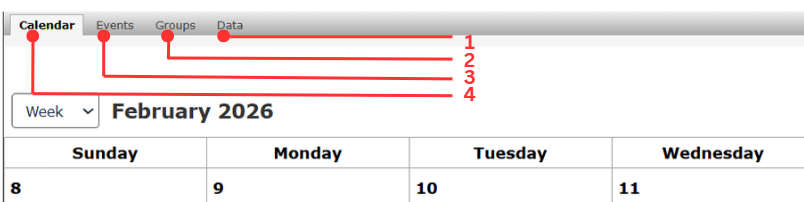
- The Data tab allows you to:
- Download or restore the Scheduler database.
- Clear Scheduler data.
- The Groups tab allows you to:
- Create, edit, duplicate, or delete multiple events that occur within the same time frame.
- The Events tab allows you to:
- Create, edit, duplicate, or delete standalone events.
- The Calendar tab allows you to:
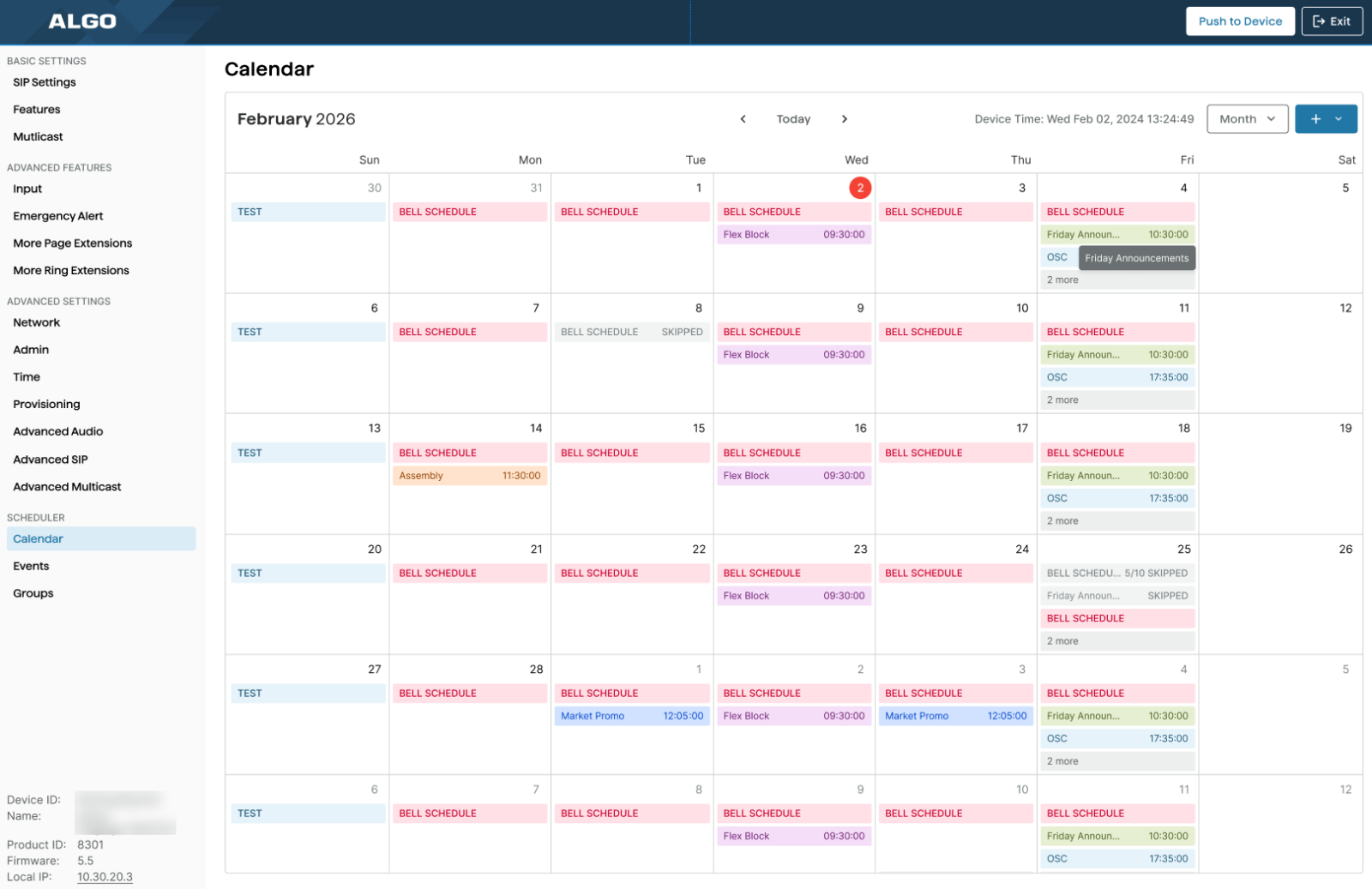
- View scheduled events by month, week, or day.
- Create events or groups.
- Edit, skip, delete, or restore standalone events or groups.
What’s New in the Algo Scheduler?
Administrators can create one-time or recurring schedules for:
- Tones and alerts
- SIP calls
- Audio streams
- Internet radio streams
- Scheduled API-triggers
Events can also be organized into groups, making related schedules easier to manage together.
Recurring events can now be configured without an end date, allowing schedules such as school bells, shift changes, and daily notifications to continue indefinitely until they are modified, skipped or deleted.
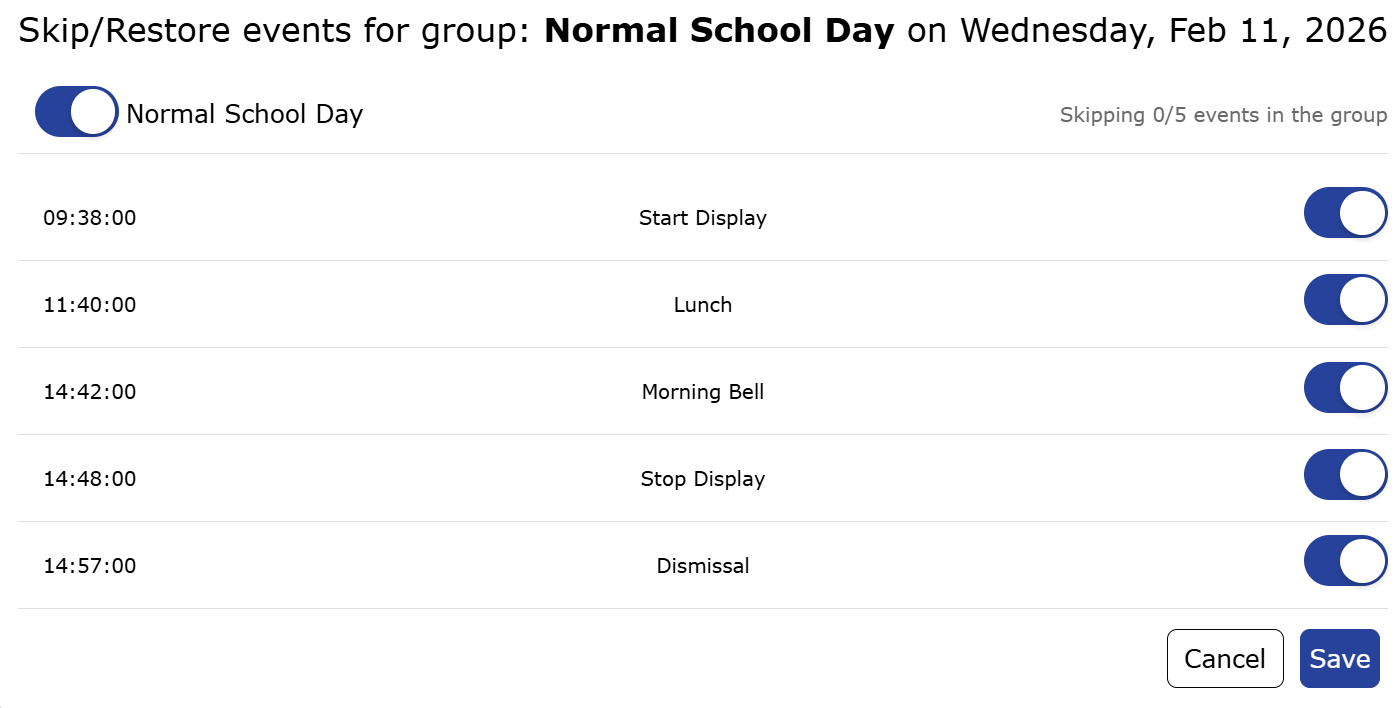
The updated interface also improves skip and restores controls. Administrators can skip individual events or groups without editing or deleting the recurring schedule, then restore them when needed.
See the Scheduler documentation for configuration details.
Automate More Than Tones and Announcements
The expanded Scheduler supports several event types, extending automation beyond traditional paging.
Schedule Tones and Alerts
Administrators can schedule stored audio files to play at scheduled times, either over local audio output or across configured multicast zones.
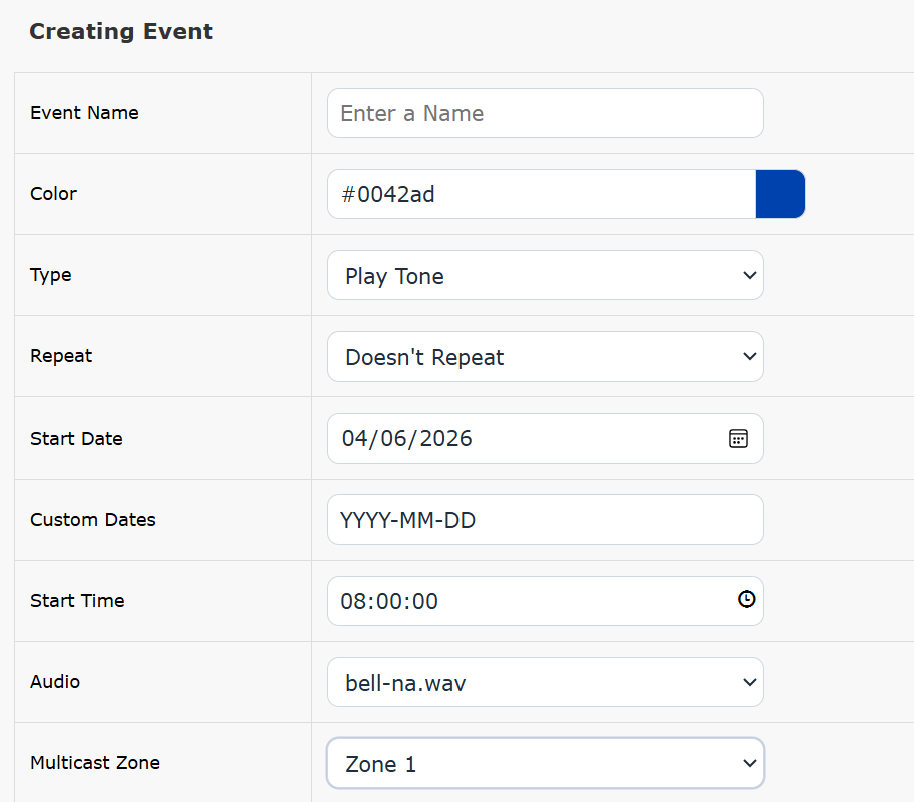
Common applications include:
- School bells
- Shift changes
- Break notifications
- Opening and closing announcements
- Routine operational notifications
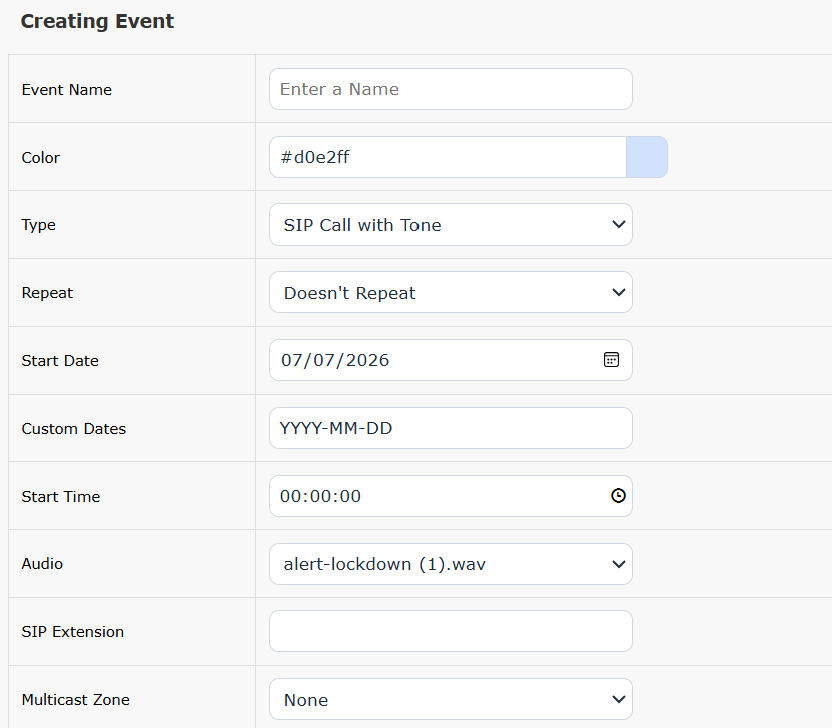
Schedule SIP Calls
A scheduled event can initiate a SIP call to a configured destination and play a selected audio file. This allows scheduled communication to reach a specific SIP destination through the configured SIP/UC environment.
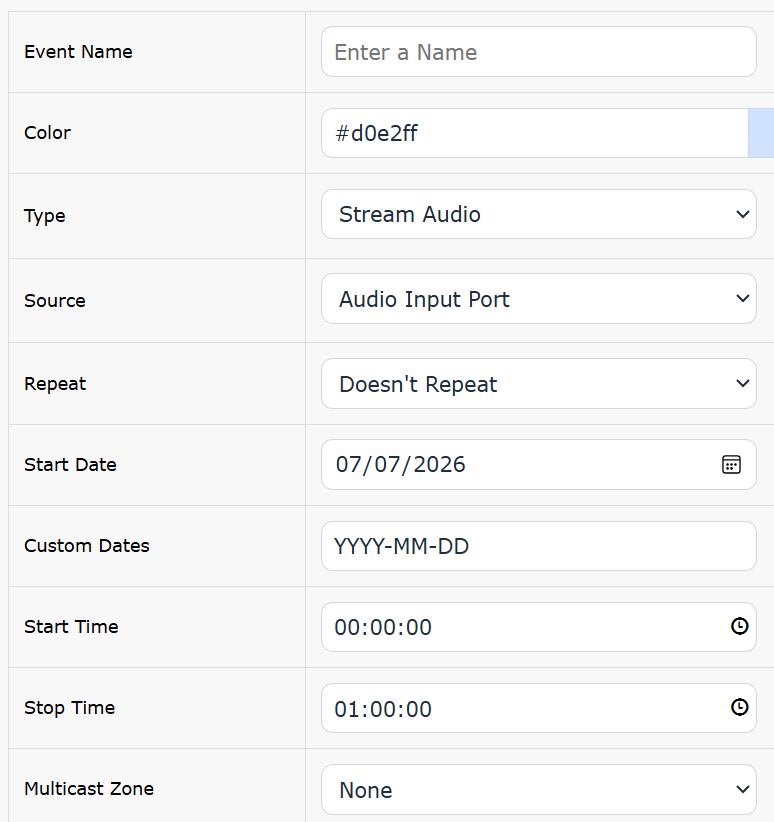
Schedule Internet Radio Streams
The Scheduler can start an Internet radio stream at a defined time and stream the audio through supported Algo endpoints via multicast. An offline local audio file can also be configured as a fallback when needed.
Schedule API Events
Scheduled API events extend automation beyond audio.
At a configured time, the Scheduler can send API requests to supported IP endpoints. Depending on the device and command, these events can:
- Activate or stop a strobe
- Display or remove a visual notification
- Start or stop audio
- Initiate another supported action or workflow
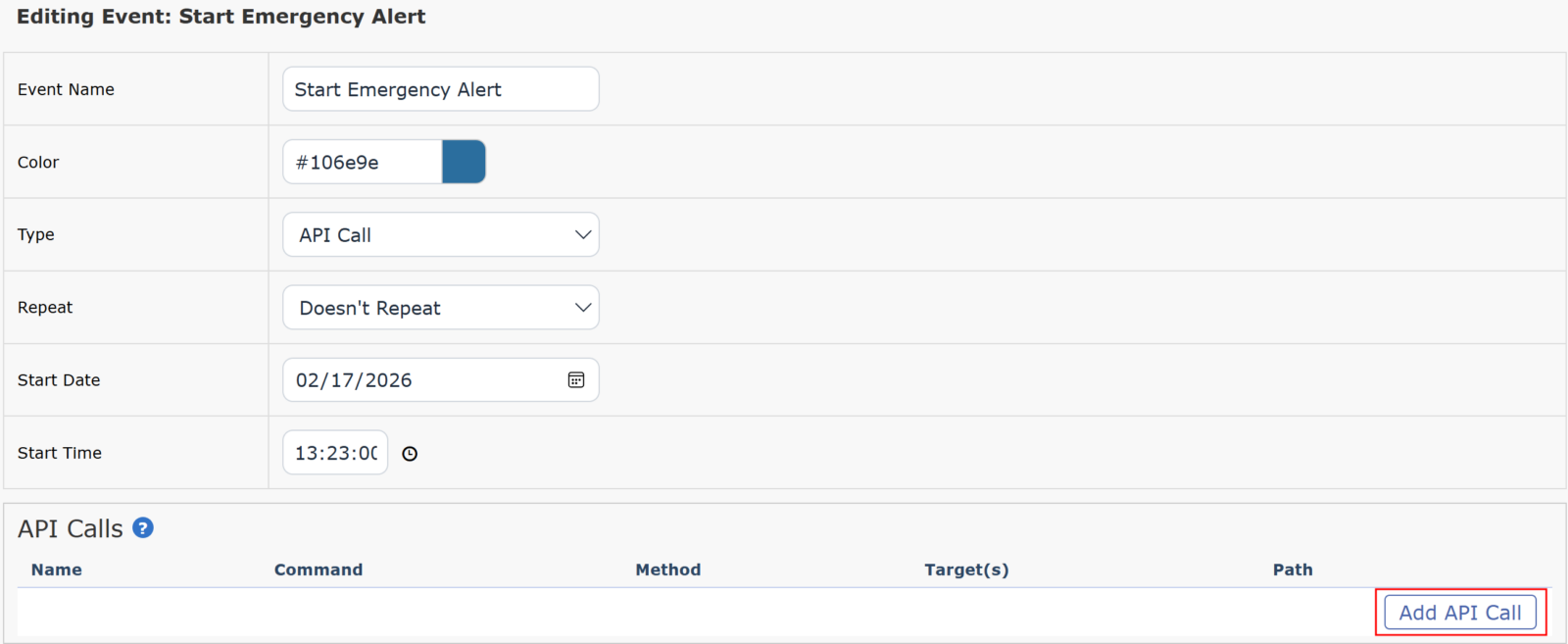
This makes it easier to coordinate audio and visual actions within a scheduled event without separate manual steps.
See the Scheduler API documentation for supported configuration options.
Temporarily Change a Schedule Without Rebuilding It
Routine schedules often need temporary changes. For example, a school may cancel bells for an assembly; a facility may follow different hours during a holiday; or a scheduled announcement may need to be skipped for a specific day.
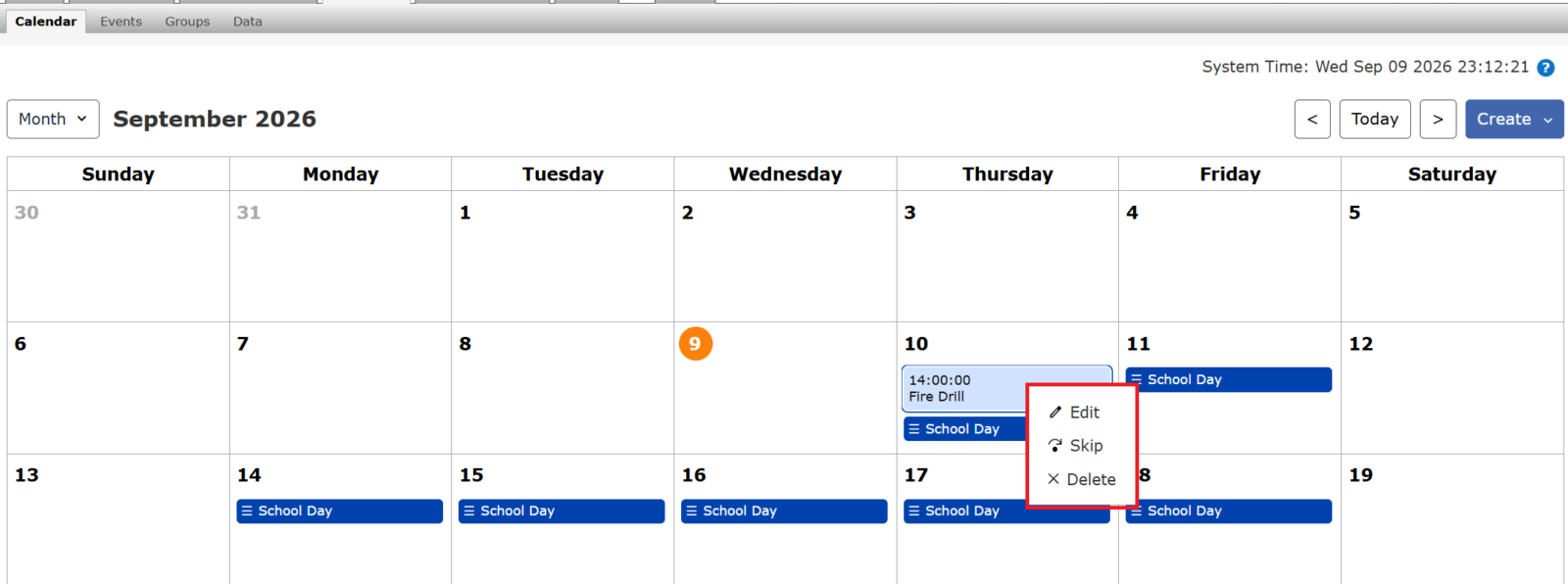
The updated Scheduler allows individual events or groups to be skipped without removing them from the recurring schedule.
When the regular schedule resumes, the event can be restored. This makes temporary schedule changes easier to manage without editing or recreating recurring events.
Manage Upcoming Schedules from the Algo 8450 IP Console
The updated Scheduler also extends schedule control to the 8450 IP Console.
When connected to an 8301, 8305, or 8312, the 8450 can display upcoming scheduled events for the next seven days directly on its screen.
Operators can:
- Review upcoming events
- Skip an event
- Restore a skipped event
Skip and restore actions performed from the 8450 are applied to the Scheduler on the associated paging adapter.
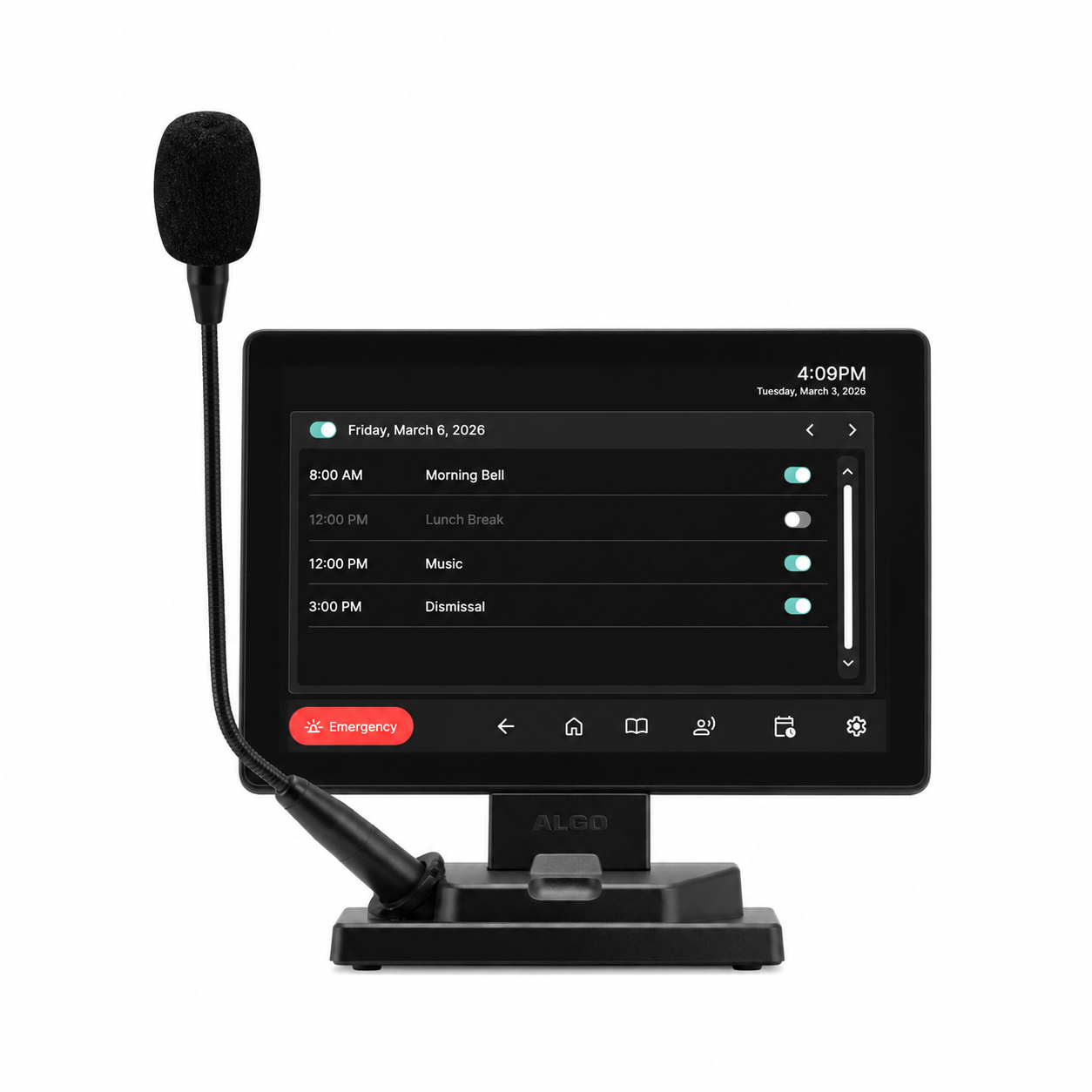
This gives local staff access to common schedule controls without requiring access to the full paging adapter interface.
For example, front-office staff could skip scheduled bells during an assembly and restore them afterward directly from the 8450.
Schedule creation and broader configuration remain on the 8301 or 8305 or can be managed through supported ADMP functionality.
Please note that while the ADMP functionality for remote web UI is currently not available for the 8312, we are actively working on it and it will be included in an upcoming firmware release.
See the 8450 Scheduler documentation for configuration details.
Manage Algo Schedules Remotely Through ADMP
Scheduling is also available through the Scheduler (Beta) in Algo Device Management Platform (ADMP).
Using ADMP Remote Device UI, administrators can access the Scheduler for supported Algo Paging Adapters without being on the same local network as the device.
Administrators can remotely:
- Create single and recurring events
- Create and manage event groups
- Edit scheduled events
- Duplicate events
- Skip or restore events and groups
- Delete scheduled events
- Configure supported tone, SIP, audio stream, and API events
After making changes, administrators can push the updated Scheduler configuration to the device.
This is useful for organizations managing communication systems across multiple buildings or locations. Local operators can handle day-to-day schedule changes through the 8450, while IT administrators can manage broader schedule configuration through ADMP.
For configuration instructions, see ADMP User Guide: Using Paging Adapter Scheduler.
Different Interfaces for Different Scheduling Tasks
The updated Scheduler supports different levels of control depending on where schedules need to be managed.
| Algo Solution | Scheduling Role | Typical Actions |
| 8301 / 8305 / 8312 | Schedule creation and execution | Create events, configure recurrence, group events, schedule API actions and streams |
| 8450 IP Console | Local schedule control | View upcoming events, skip events, restore events |
| ADMP Scheduler (Beta) | Remote administration | Create, edit, organize, skip, restore, and manage schedules remotely |
The schedule runs on the supported paging adapter, while the 8450 and ADMP provide additional ways to manage it.
More Flexible Scheduling Across Algo Solutions
The updated Scheduler expands both what can be automated and where schedules can be managed.
The 8301 and 8305 provide the scheduling engine, the 8450 gives local operators access to upcoming events and skips or restores scheduled events, and ADMP extends schedule management to remote administrators.
Together, these options support routine communication, including bells, tones, announcements, SIP calls, audio streams, and API-driven actions, while giving different users the access they need.
Key Takeaways
- The updated Algo Scheduler enhances scheduling, automation, and management of communication across Algo devices.
- New features include recurring events without end dates, scheduled API calls, and improved controls for skipping events.
- The Scheduler allows administrators to schedule various audio streams, SIP calls, and tones while enabling event grouping for easier management.
- Users can manage schedules directly from the Algo 8450 IP Console or remotely through the Algo Device Management Platform (ADMP).
- Overall, these updates provide more flexibility and control for organizations using Algo solutions.
FAQs
Which Algo devices support the updated Scheduler?
The updated Scheduler is available on supported Algo paging adapters, including the 8301 IP Paging Adapter & Scheduler, 8305 Multi-Interface IP Paging Adapter, and 8312 Expanded IP Paging Adapter. The Scheduler can be accessed locally via the 8450 IP Console and managed remotely via ADMP.
Can I change a recurring event without deleting the schedule?
Yes. Individual events and groups can be skipped and later restored, allowing temporary changes without rebuilding the recurring schedule.
Can the Scheduler trigger visual notifications?
Yes. Scheduled API events can send supported commands to network endpoints. Depending on the receiving device and command, these events can activate strobes, display visual notifications, control audio, or initiate another supported action.
Can users create schedules from the 8450?
No. The 8450 allows operators to view upcoming events and skip or restore them. Schedule creation and broader configuration are handled through the paging adapter Scheduler or supported ADMP functionality.
Can schedules be managed remotely?
Yes. The Scheduler functionality in ADMP Remote Device UI allows administrators to create and manage schedules remotely on supported Algo Paging Adapters. The ADMP Scheduler functionality is currently Beta.