IP Button Functionality at Accessory Cost
Explore how Algo accessory buttons deliver reliable one-touch communication, supervision, and control while reducing network and deployment requirements.

Estimated reading time: 4 minutes
Overview
Buttons play a simple yet important role across a facility, enabling a call or an emergency alert with just one press. Depending on the application, organizations can deploy either a standalone IP button or an accessory button.
A dedicated IP button offers the benefits of its own network connection, configuration, and supervision. But not every location requires a separate IP device, and choosing a more cost-effective accessory option shouldn’t mean sacrificing the control, feedback, and supervision needed for reliable communication.
Versatile Deployment Models
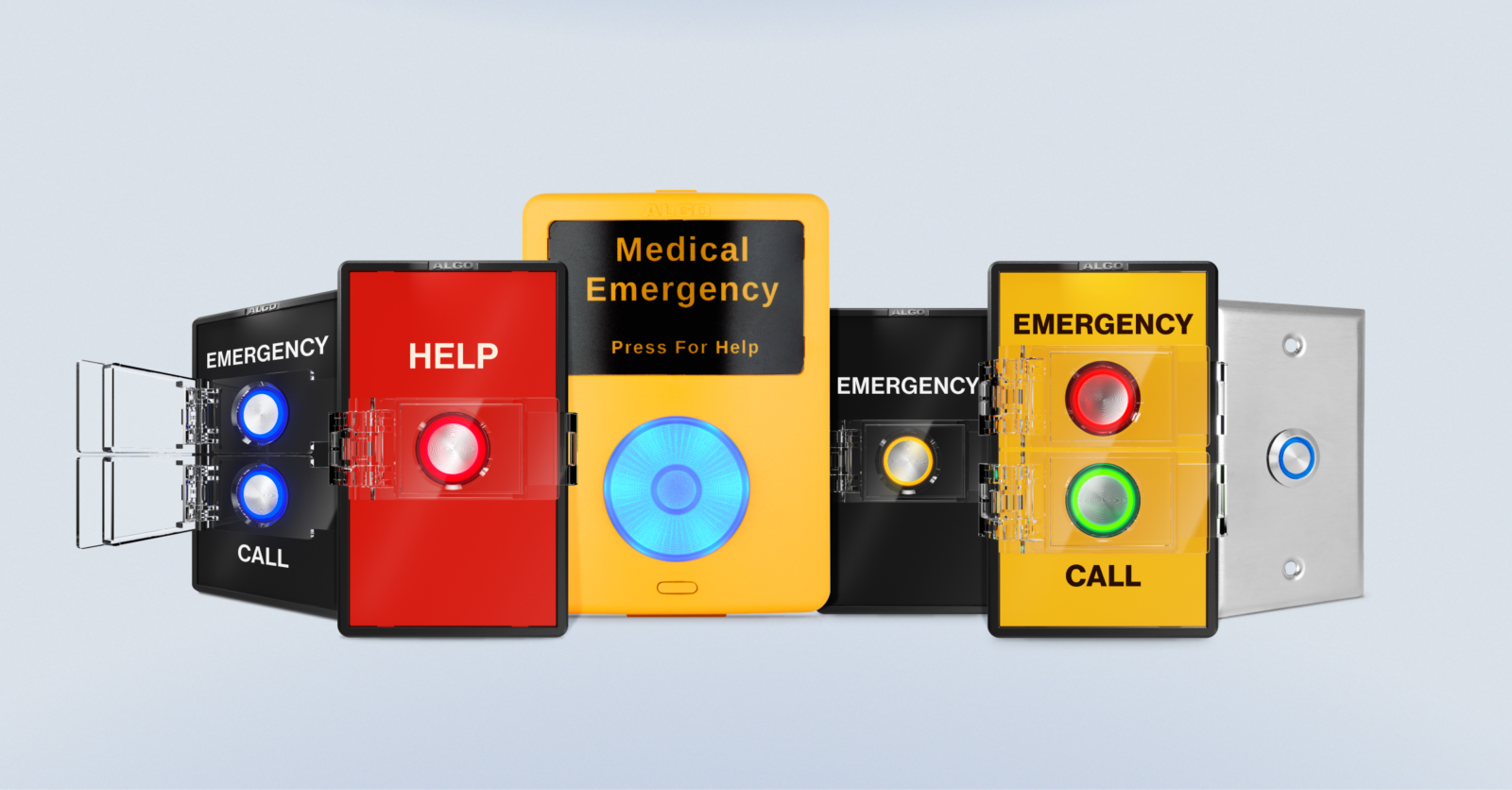
The Buttons portfolio is structured into two distinct deployment models: accessory and IP, all engineered to deliver flexible, application-driven performance while aligning to the unique needs of each deployment.
Accessory models, including the 1202, 1203, 1211, and 1212, connect to a compatible Algo IP endpoint through the smart relay interface. In this configuration, the button is powered and supervised by the endpoint, operating as a managed extension of the host device.
This architecture enables intelligent actions such as SIP calling, multicast alerting, and API-based commands while ensuring simple, cost-effective deployment. Because the accessory button relies on the endpoint for network connectivity and control, it does not require a dedicated network drop or its own network port, reducing hardware costs and installation complexity.
IP models, including the 8211 and 8212, are standalone, SIP-enabled devices powered by PoE. These units connect directly to the network and execute configured actions independently, without reliance on a separate endpoint. They are well-suited for locations where no compatible endpoint is available or where a dedicated network-connected button is preferred.
What Can an Algo Accessory Button Do?
When connected to a compatible Algo IP endpoint, accessory buttons can deliver many of the same practical capabilities of a dedicated IP button while using the host endpoint’s network connection and configuration.
Depending on the model and connected endpoint, an accessory button can:
- Trigger an alert or announcement
- Initiate a SIP call
- Start hands-free communication
- Provide configurable button illumination
- Be supervised for status, connectivity, and operational readiness
How Are Algo Accessory Buttons Supervised?
A critical requirement in any button deployment is that each device is not only present, but also active, monitored, and ready for use. This requires continuous visibility into status and connectivity, ensuring the system can confirm that each button is operational when needed. Algo supports this through system-level supervision across both deployment types.
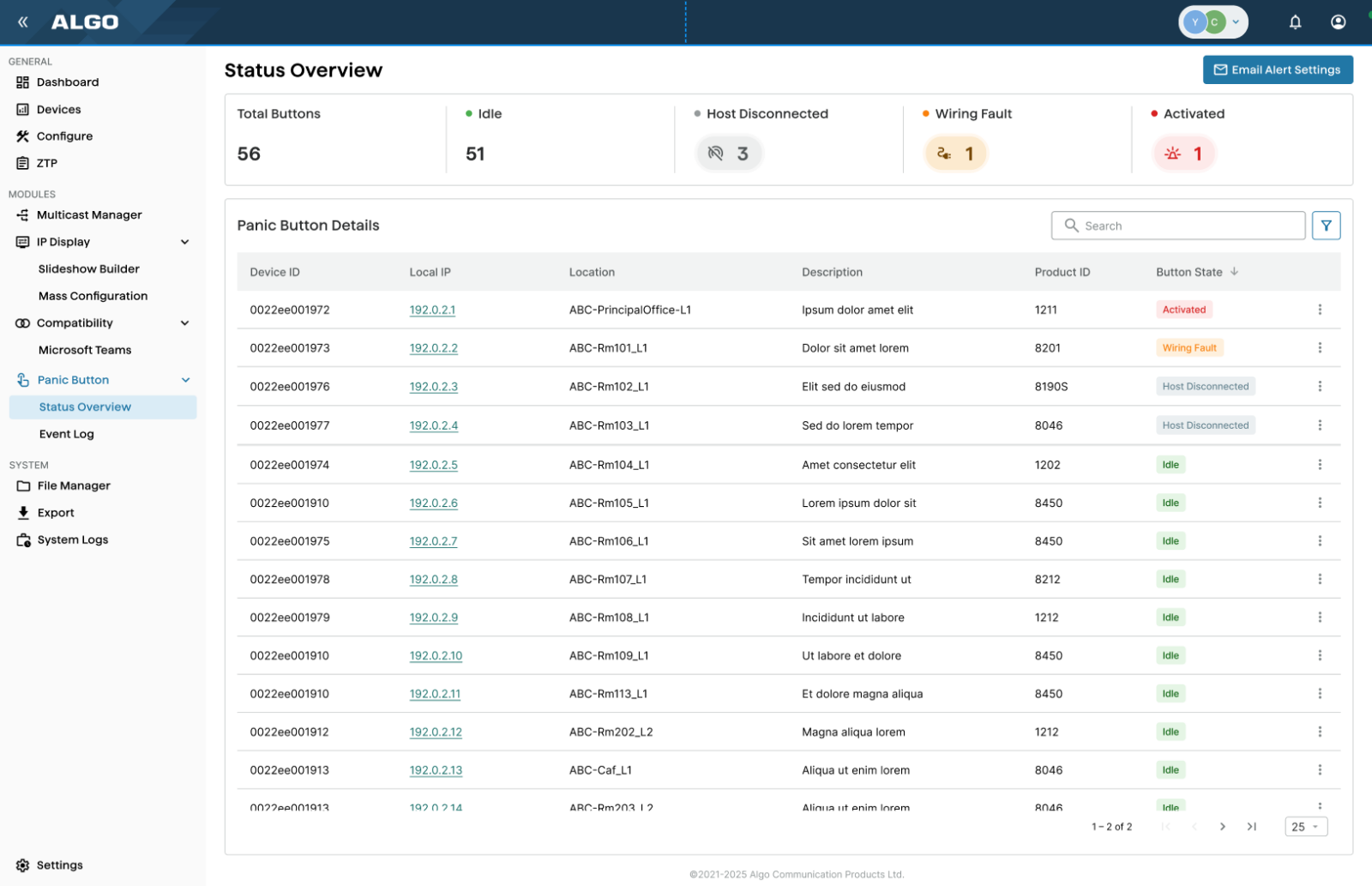
IP buttons are monitored directly over the network, consistent with other IP endpoints. Accessory buttons leverage Algo’s smart relay technology, which ensures each button is visible through the connected endpoint with clear status for presence, connectivity, and readiness. This enables consistent, reliable supervision regardless of the deployment.
Benefits of Accessory Buttons
When a compatible Algo IP endpoint is already installed, an accessory button can extend button functionality to more locations without adding another network-connected device.
This can help organizations:
- Avoid a dedicated network connection for every button
- Avoid consuming additional network ports
- Reduce hardware and deployment costs
- Centralize configuration and supervision through the host endpoint
- Centralize configuration and supervision through the Algo Device Management Platform (ADMP) if configured as a panic button
Standalone IP Button or Accessory Button?
The right option depends on what is needed at each location, but organizations don’t have to choose one approach for an entire deployment.
Standalone IP buttons can be used where direct network connectivity is required, while accessory buttons connect to a compatible Algo IP endpoint and leverage that host device for communication, configuration, and supervision.
For a closer look at Algo IP and accessory button options, features, and use cases, explore The Difference Between Algo Buttons.
Key Takeaways
- Buttons play a crucial role in emergency communication within a facility, enabling alerts with a single press.
- Accessory buttons connect to an Algo IP endpoint, providing similar functionality to standalone IP buttons without requiring a separate network connection.
- These accessory buttons can trigger alerts, initiate SIP calls, and enable hands-free communication while ensuring operational readiness.
- They help organizations reduce costs, centralize configuration, and monitor status through the host endpoint.
- Choosing between standalone IP buttons and accessory buttons depends on the location’s specific needs, allowing flexible deployment options.