The “I Love U Guys” Foundation
Algo is committed to improving school safety and emergency preparedness as a Mission Partner of The “I Love U Guys” Foundation.

Supporting Safer Schools Through Clear, Campus-Wide Communication
Algo is proud to serve as a Mission Partner of The “I Love U Guys” Foundation, a nationally recognized nonprofit organization dedicated to school safety, crisis response, and emergency preparedness.
Through this partnership, Algo supports the organization’s mission by helping schools implement reliable communication infrastructure alongside trusted programs such as the Standard Response Protocol (SRP) and Standard Reunification Method (SRM).
Supporting Emergency Communication Across School Campuses
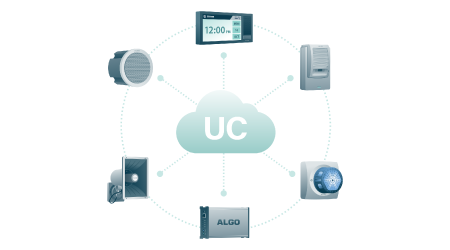
Effective emergency response depends on clear, timely, and accessible communication. The “I Love U Guys” Foundation provides standardized protocols that help schools and public safety partners coordinate their response to critical events. Algo provides IP endpoints that help schools communicate during lockdowns, evacuations, shelter events, reunification efforts, and other emergency situations:
- IP speakers deliver live or pre-recorded instructions across classrooms, corridors, common areas, and outdoor spaces.
- IP visual alerters and IP displays reinforce messages using color-coded strobes and visual notifications, including in high-noise environments and for individuals with hearing impairments.
- IP paging adapters connect existing communication infrastructure with modern IP paging and alerting systems.
- IP intercoms and buttons provide accessible ways to initiate communication, request assistance, and support two-way interaction.
Algo endpoints integrate with leading communication platforms, helping schools extend emergency notifications throughout buildings and campuses.
 |
|
|---|---|
| Algo x ILUG | View One Pager |
| Website | Learn more about The “I Love U Guys” Foundation |
About The “I Love U Guys” Foundation
The “I Love U Guys” Foundation was established in 2006 by Ellen and John-Michael Keyes following the tragic loss of their daughter, Emily. Today, its research-based school safety programs are used by schools, districts, departments, agencies, and organizations worldwide.
The Foundation’s Standard Response Protocol and Standard Reunification Method provide clear, practical guidance to help communities prepare for, respond to, and recover from critical incidents.
Using “I Love U Guys” Preset Screens with Algo Devices
Algo devices include preset screens designed to simplify the implementation of The “I Love U Guys” Foundation’s protocols. Select the setup that matches what you want to accomplish.
I want to add “I Love U Guys” visuals to an Algo 8410 or 8420 IP Display
Use this option if you want to add the “I Love U Guys” preset screens to an existing 8410 or 8420 IP Display.
First, check whether the “I Love U Guys” files are already available in the display’s images folder. If they are not available:
- Download the I Love U Guys protocol image files.
- Log in to the 8410 or 8420 web interface.
- Go to System → File Manager.
- Open the images folder.
- Upload the images for each protocol.
- Images are now ready to add to slides. View 8410/8420 User Guide for more information.
I want to use an “I Love U Guys” emergency preset on an Algo 8450 IP Console
Use this option if you want to use the preconfigured “I Love U Guys” emergency workflow on an 8450 IP Console.
The preset is available on the 8450 with firmware 5.7 or later. If you do not see it, confirm your firmware version and update the device if required.
For this setup, select Emergency – I Love U Guys. This preset provides a preconfigured 8450 workflow.
To apply the preset:
- Log in to the 8450 web interface.
- Go to Screens.
- Select the button-based screen where you want to add the workflow.
- Under Apply Preset Screens, select Emergency – I Love U Guys.
- Select Load.
- Review the settings and select Save.
Important: Loading a preset screen overwrites the existing layout, button actions, and other settings on the selected screen.
I want my Algo 8450 to activate “I Love U Guys” visuals on Algo 8410 or 8420 IP Displays
Use this option to initiate an “I Love U Guys” protocol from the 8450 and automatically activate corresponding visuals on one or more 8410 or 8420 IP Displays.
For this setup, use the Emergency – I Love U Guys (API) preset, which includes prewritten API requests to activate the corresponding “I Love U Guys” visuals on the target displays.
You will need to:
- Confirm the 8450 is running firmware 5.7 or later.
- Confirm the required “I Love U Guys” images are available on each target display in the images folder of the File Manager. If needed, Download the I Love U Guys protocol image files.
- Apply the Emergency – I Love U Guys (API) preset on the 8450.
- Add the target display IP addresses to the Request 1 – Target(s) field for each button.