July 2026.
Estimated reading time: 5 minutes
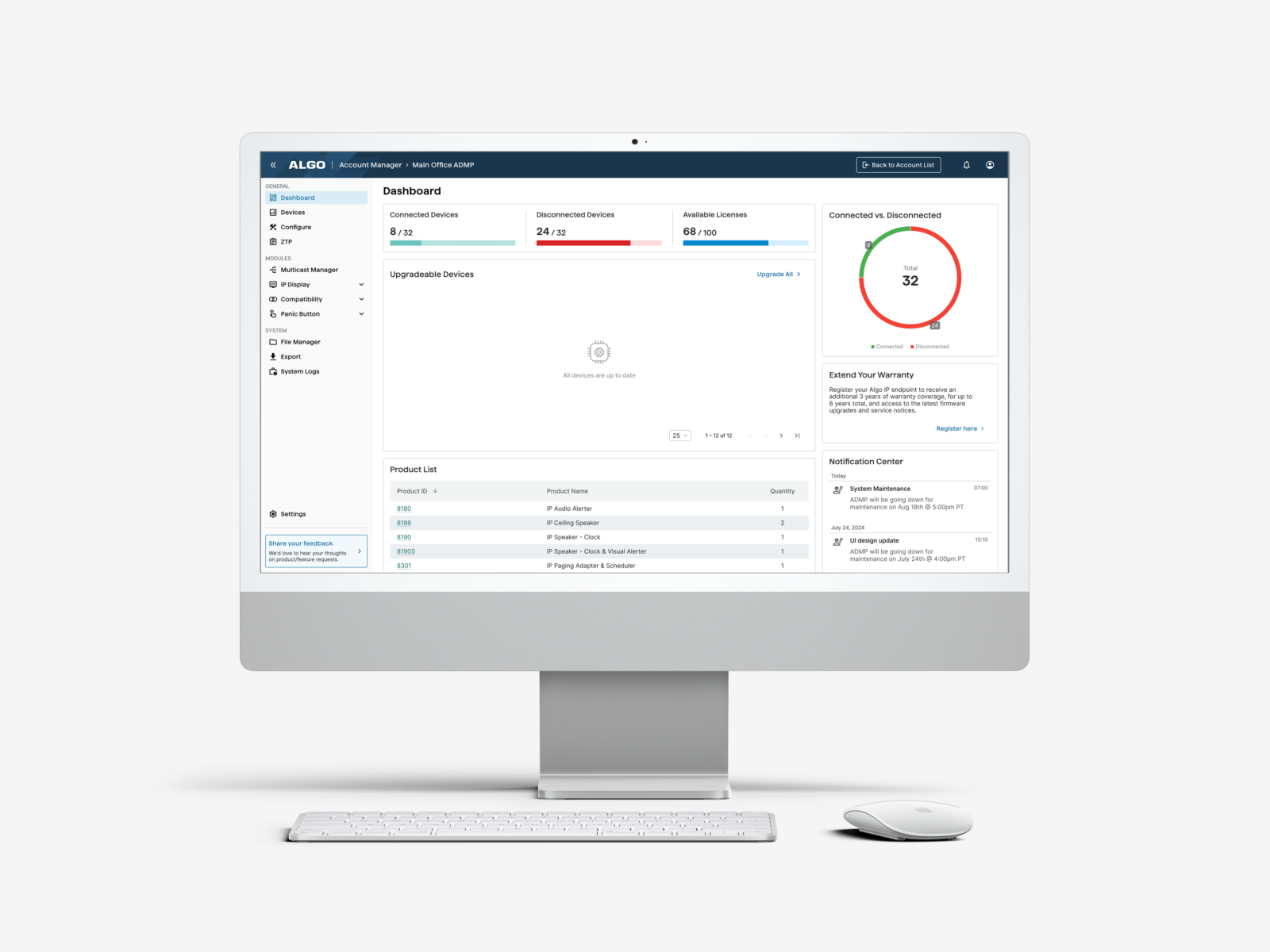
We’re excited to share new updates to the Algo Device Management Platform (ADMP), providing customers with more ways to centrally manage, monitor, and configure IP endpoints, including multicast deployments, Microsoft Teams integrations, IP Display content, panic buttons, and scheduled communication events.
Now Available
Multicast Manager
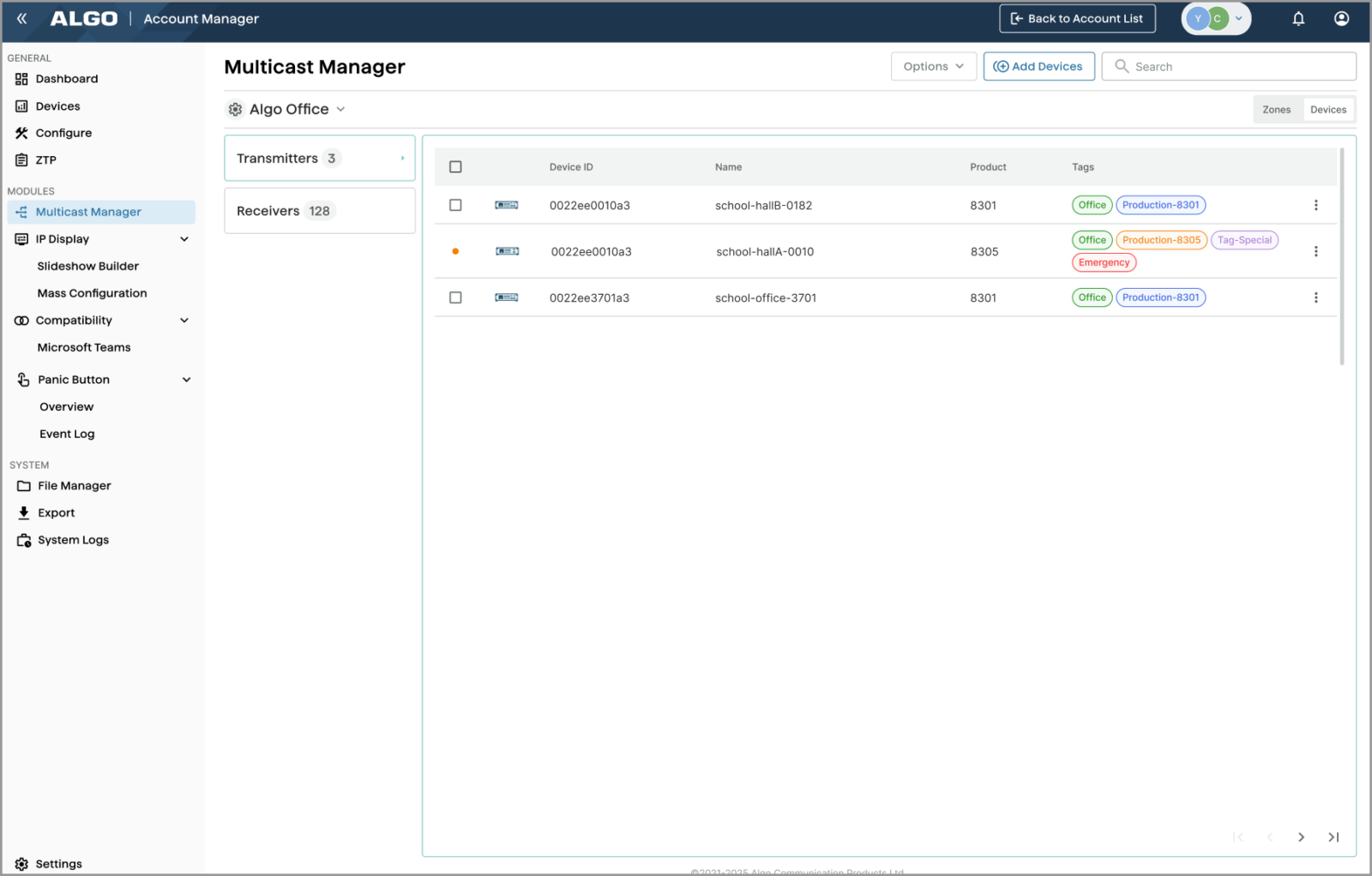
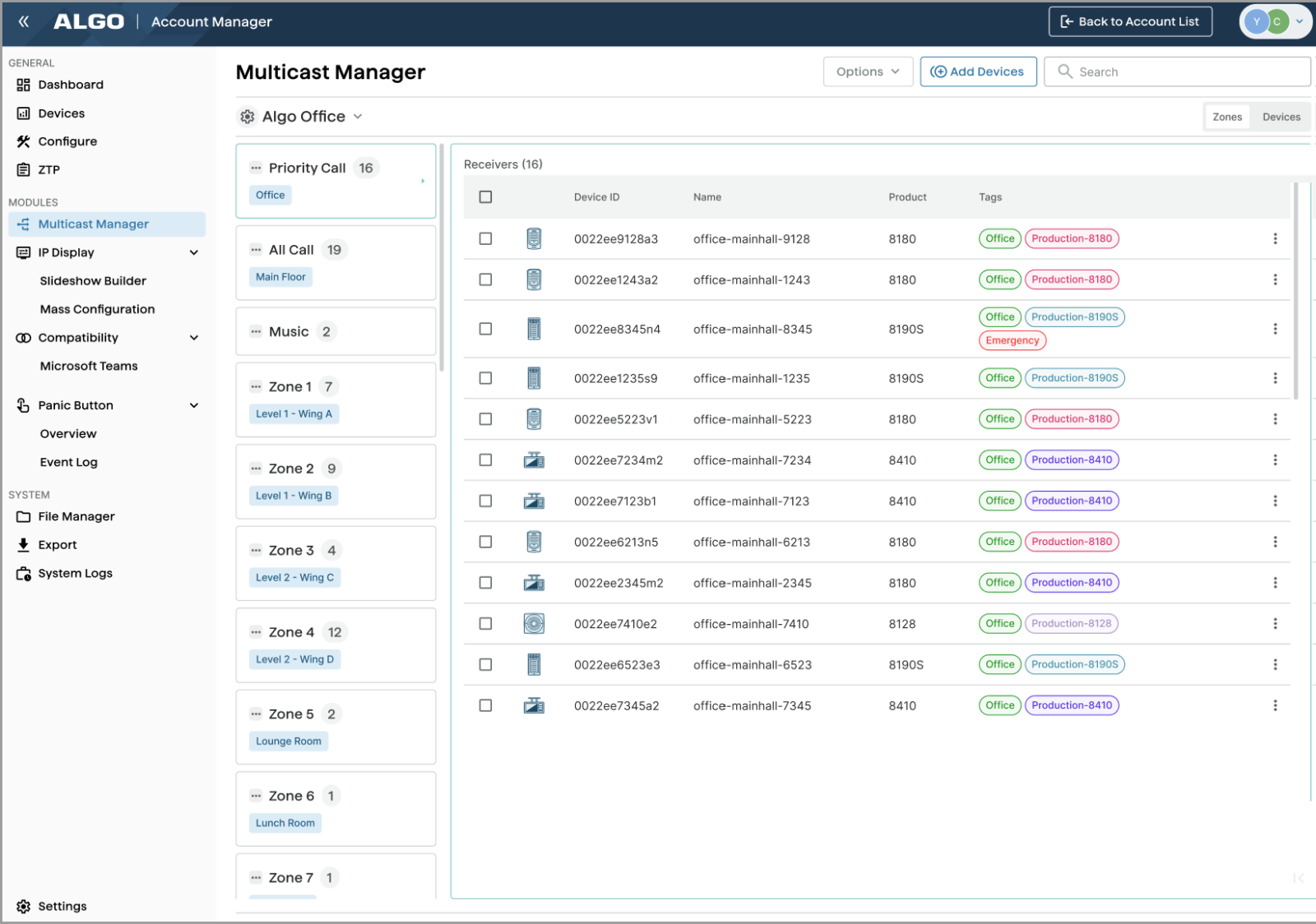
The new Multicast Manager module simplifies RTP multicast management across Algo IP endpoints. Configure multicast settings once at the site level, organize devices by transmitter, receiver, or multicast zone, and apply consistent zone configurations across the deployment, without individually configuring every device.
For more information, see ADMP User Guide > Multicast Manager.
Microsoft Teams
Algo IP endpoints are certified for native compatibility with the Microsoft Teams SIP Gateway. Applications such as IP paging, emergency alerting, and hands-free visitor communication can be implemented using both Microsoft Teams and Algo IP endpoints.
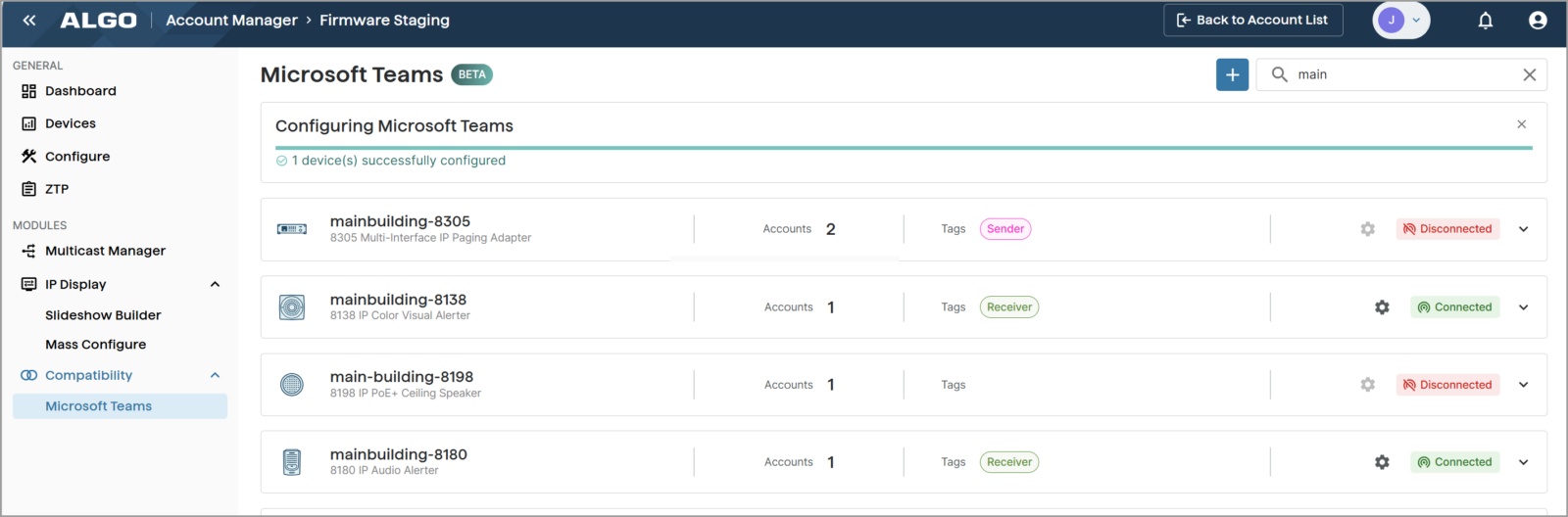
Using the new Microsoft Teams module in ADMP, you can enable Microsoft Teams support on Algo devices with an intuitive view of all Teams-enabled devices, their associated Teams accounts, and account statuses. ADMP also provides centralized management of Teams account configurations, eliminating the need to log in to each device’s web interface individually.
For more information, see Microsoft Teams Configuration with Algo IP Devices Using ADMP.
Displaying Weather Information
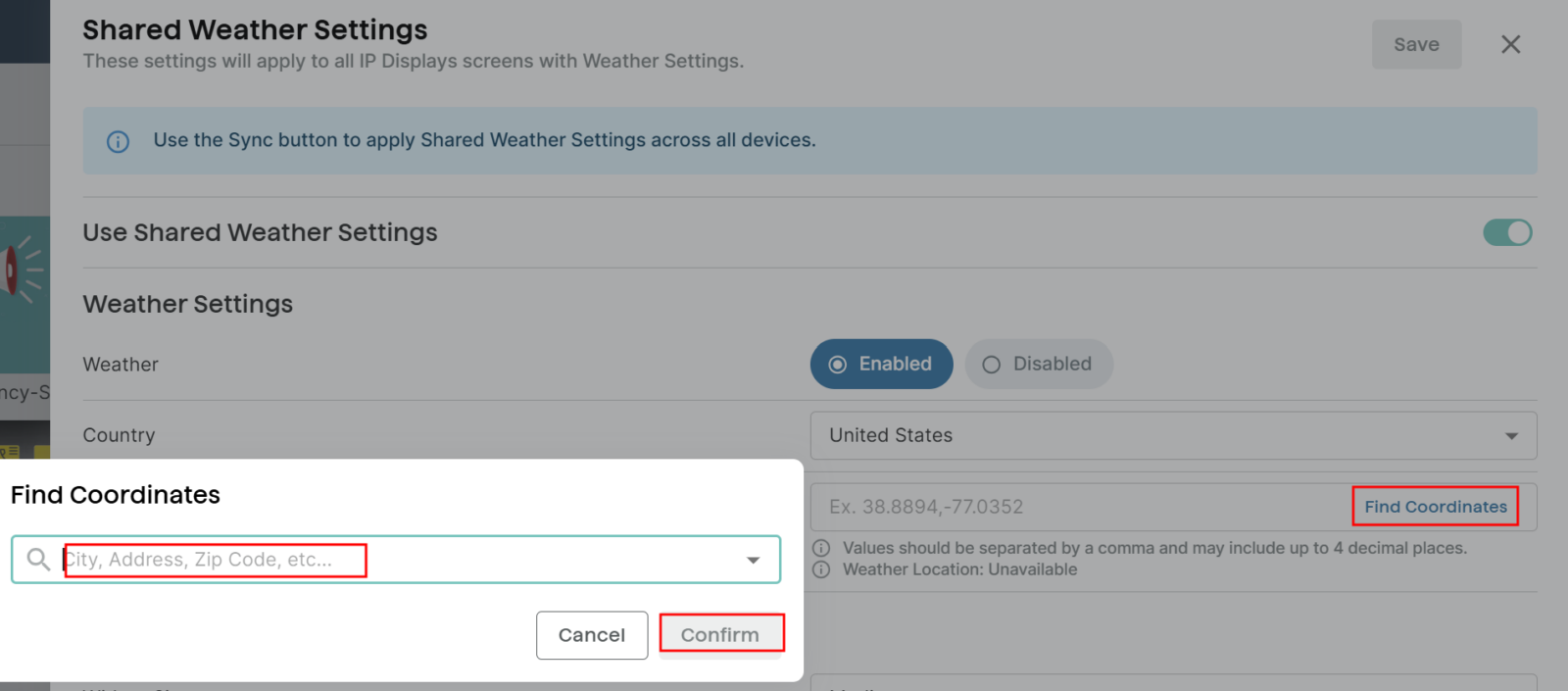
Users can now display location-based weather information on Algo 8410 and 8420 IP Displays in the United States and Canada. Show current conditions, hourly forecasts, or weekly forecasts as full-screen slides by leveraging our new weather templates, or add current weather as a widget over other slides and slideshows.
Shared weather settings and display content can be synchronized across multiple IP Displays, helping maintain consistent, locally relevant information throughout a deployment.
For more information, see ADMP User Guide > Displaying Weather Information.
Beta: Test It Out
If you would like to participate in Algo’s Beta program and receive access to ADMP beta features, please contact your account representative.
Panic Button Monitoring (Beta)
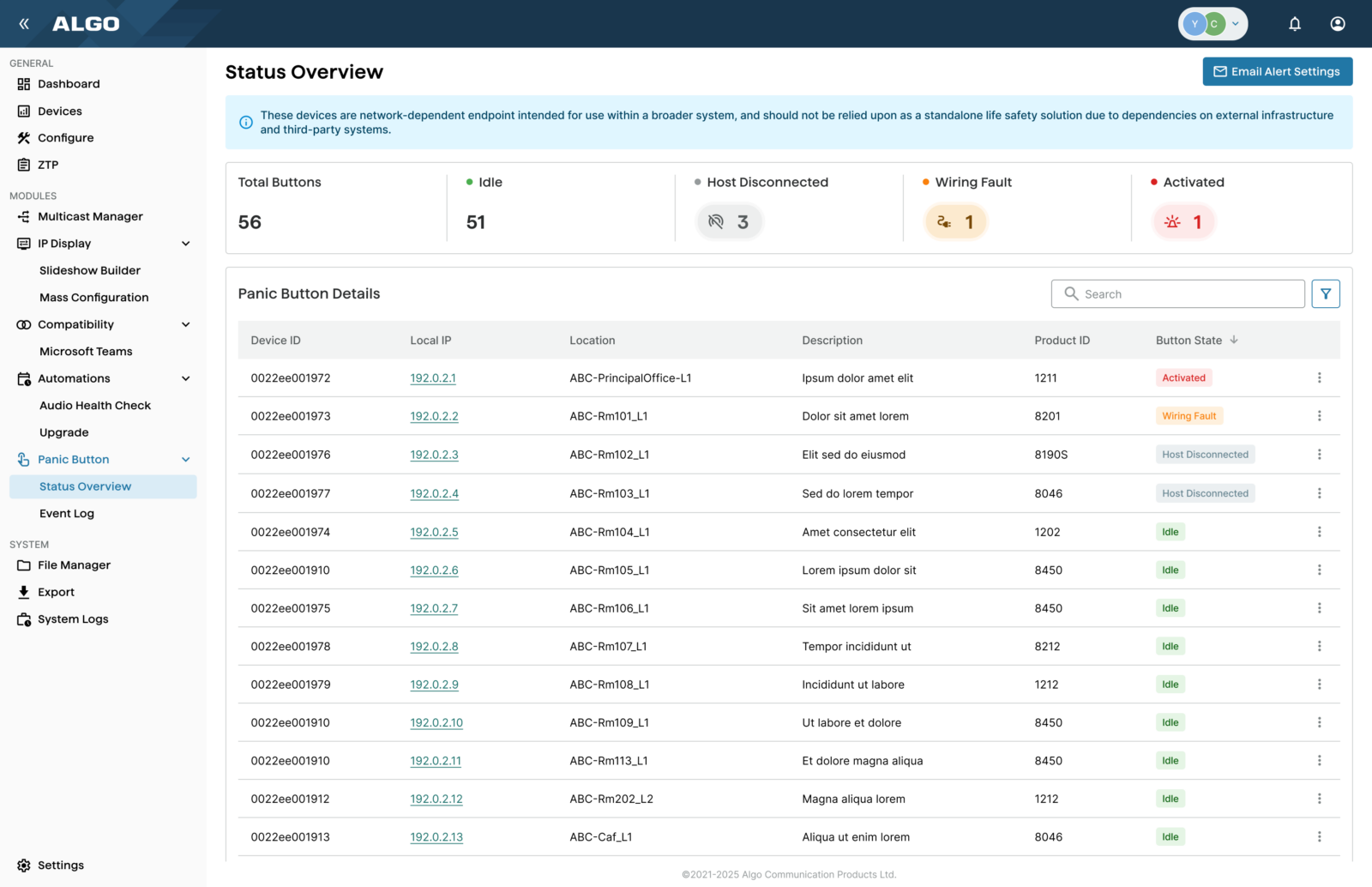
With the new Panic Button Monitoring module (Beta), users can view the status of physical buttons, supervised relay inputs, and screen buttons on the Algo 8450 IP Console that have been configured as panic buttons. ADMP provides a centralized view of button status, associated endpoint and location information, and activity logs, with email alerts available for wiring faults and changes in device status.
For more information, see ADMP User Guide > Panic Button Monitoring.
Scheduler (Beta)
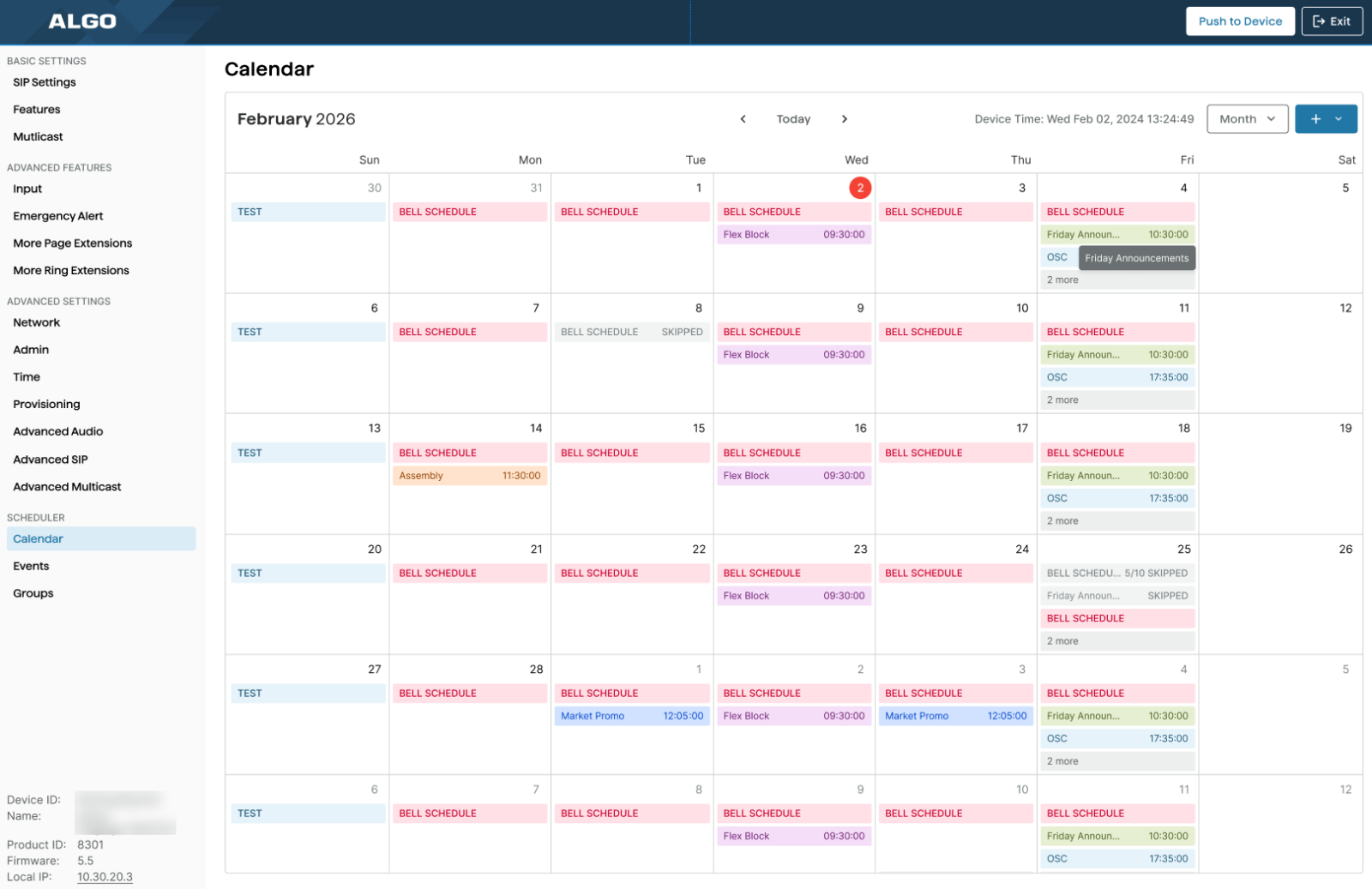
Access and manage scheduling for supported Algo Paging Adapters through the Scheduler functionality (Beta) in ADMP Remote Device UI. Create standalone or recurring events for tones, alerts, SIP calls, live audio streams, and API-triggered actions such as activating strobes, displaying visual notifications, or initiating workflows.
For more information, see ADMP User Guide > Using Paging Adapter Scheduler.
Key Takeaways
- Algo Device Management Platform (ADMP) introduces valuable updates for managing IP endpoints.
- The new Multicast Manager simplifies RTP multicast management, enabling consistent configurations across devices.
- ADMP now supports Microsoft Teams, allowing centralized management of Teams account configurations without logging into each device separately.
- Users can display weather information on Algo IP Displays, syncing settings across multiple devices for consistency.
- Beta features include Panic Button Monitoring and a Scheduler for managing events, enhancing functionality in real-time communication.
Access ADMP and Learn More
- To explore the latest available updates, view the ADMP User Guide and log in to ADMP.
- If you would like to participate in Algo’s Beta program, and receive access to ADMP beta features, please contact your account representative.
- Don’t have an ADMP account? Start a free ADMP trial.
- If you have any questions or feedback, don’t hesitate to contact Algo.
We look forward to your feedback as we continue expanding ADMP with new capabilities.